Customer support / Maintenance notice
A maintenance notice that shows
when and what stops,
at a glance.
Just paste the draft and the confirmed information and write a topic. A revision comes back that makes clear the downtime, the affected features and what users need to do.
Try it in Prompt Flow StudioDraft and information provided
[Topic]
I want to revise the maintenance notice for "Manabi Port," a fictional membership service, into a version where users can immediately understand "when, what becomes unavailable, and what they need to do." Do not write anything that is not in the confirmed information.
[Attached document (pasted)]
[Notice (draft)]
Thank you for always using Manabi Port. To make the service more comfortable to use, we will be carrying out large-scale system maintenance. The maintenance will take place from late at night on November 22 until the following morning, and some services may be unavailable during that time. We apologize for the inconvenience and appreciate your understanding and cooperation. We also recommend downloading videos in advance.
[Confirmed information]
- Date and time: Sunday, November 22, 1:00 a.m. to 6:00 a.m.
- What stops: login, playback of course videos, submission of assignments
- What does not stop: playback of videos already downloaded to the smartphone app
- For assignments due on November 22, the deadline is extended to 23:59 on November 23
- If a purchase is made during maintenance, the purchase will not be completed
Revision that came back
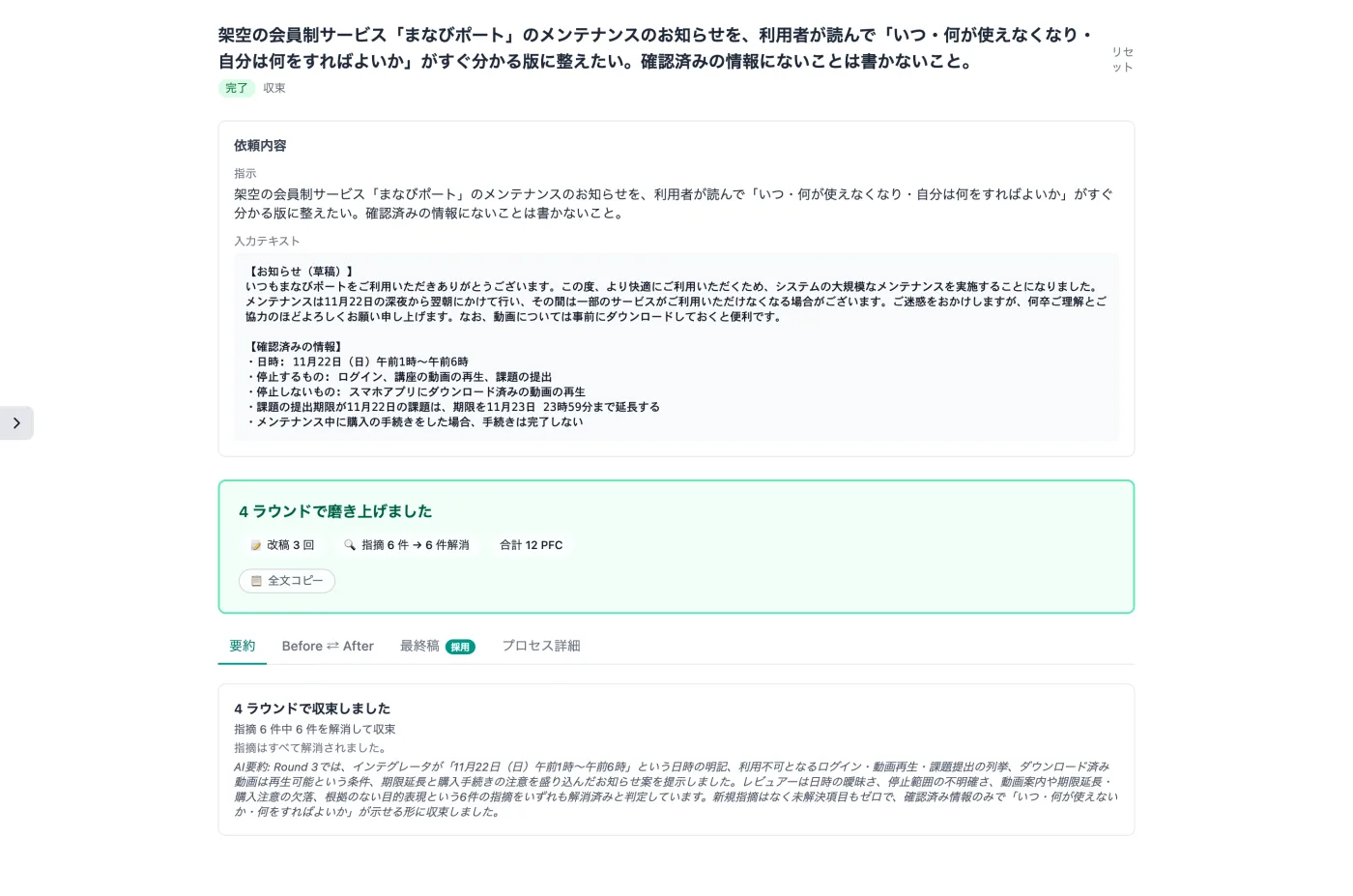
Actual screen (using the AI Co-Draft mode) (an example of use)View larger image
Just 3 steps
Enter the topic and draft
Paste the purpose of the review, the draft, and the confirmed date, time and features.
Set limits
Set the participating models, the budget cap and the maximum number of rounds.
Compare the revisions
Use "Before ⇄ After" to check times and feature names.
Other uses work the same way
If you are unsure about the wording, you can also have another AI write it and compare.
Polish your next notice before sending it.
Try it in Prompt Flow Studio