General Affairs / Checking supply order quantities
Calculate supply orders
with 2 AIs
and compare down to the formula.
Just write the stock, expected usage and order unit, and send once. Two answers appear side by side, each with the formula written line by line.
Try it in Prompt Flow StudioRequest sent
Using the following conditions, calculate how many boxes of copy paper to order next month. Write the formula one line at a time, and explain how you handle fractions and why.
- Current stock: 18 boxes
- 1 box = 2,500 sheets
- Expected usage next month: 2,400 sheets per day × 21 business days
- Buffer to keep at the end of next month: 20% of expected usage
- Orders are by the box, in multiples of 5 only (5 boxes, 10 boxes, 15 boxes...)
- Ignore the remaining usage for this month
The 2 calculations side by side
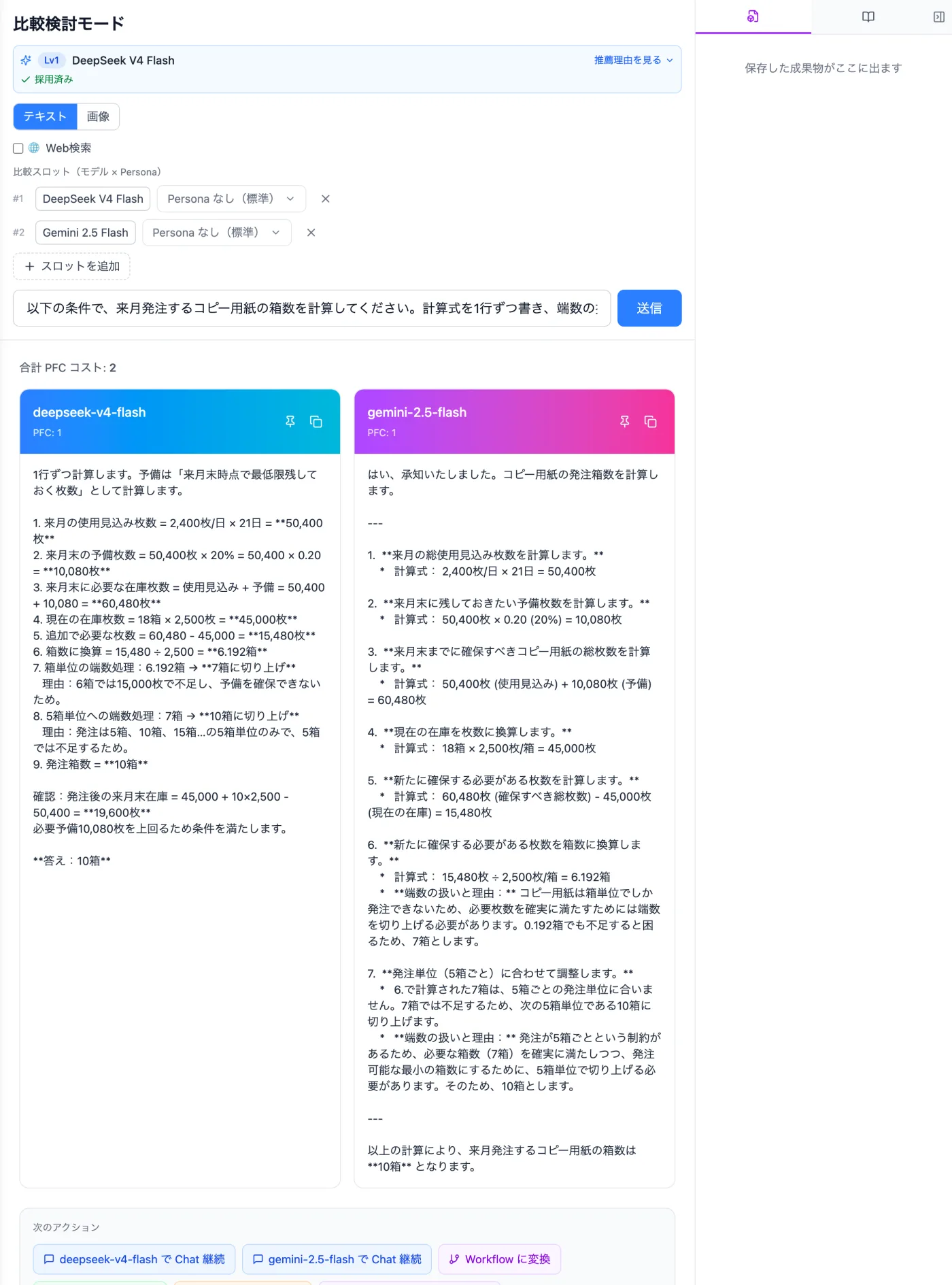
Actual screen ("Compare" mode, 2 panels) (an example of use)View larger image
Just 3 steps
Open Compare
Open "Compare" from the mode selector and choose models for the 2 panels.
Write the conditions and send
Write the stock, usage, buffer and order unit as numbers, and send.
Check the reasoning too
Even if the answers match, check the formulas and reasons one by one.
Other uses work the same way
If you are unsure about the wording, you can also have another AI write it and compare.
Check your next order with a formula.
Try it in Prompt Flow Studio