General / Analyzing stockout causes
Another stockout.
Analyze the cause
from your records.
Just list sales volumes, ordering rules and lead times. An analysis split into background and facts, several perspectives, and items to check comes back.
Try it in Prompt Flow StudioRecords provided
Our popular Product A sold out in both September and October.
[Product A records]
- Units sold per week (average): July 80 / August 85 / September 110 / October 120
- Ordering rule: When stock falls below 200 units, order 300 (unchanged since July)
- Supplier lead time: Normally 10 days. Since September it has taken 14-18 days (no advance notice from the supplier)
- Stockout periods: 9/14 (Mon)-9/17 (Thu) / 10/19 (Mon)-10/23 (Fri)
- Stock levels in the system are updated in one batch every Monday
- Inquiries have increased since September due to a magazine feature (staff observation)
What could be causing the stockouts? What should we check?
Analysis returned
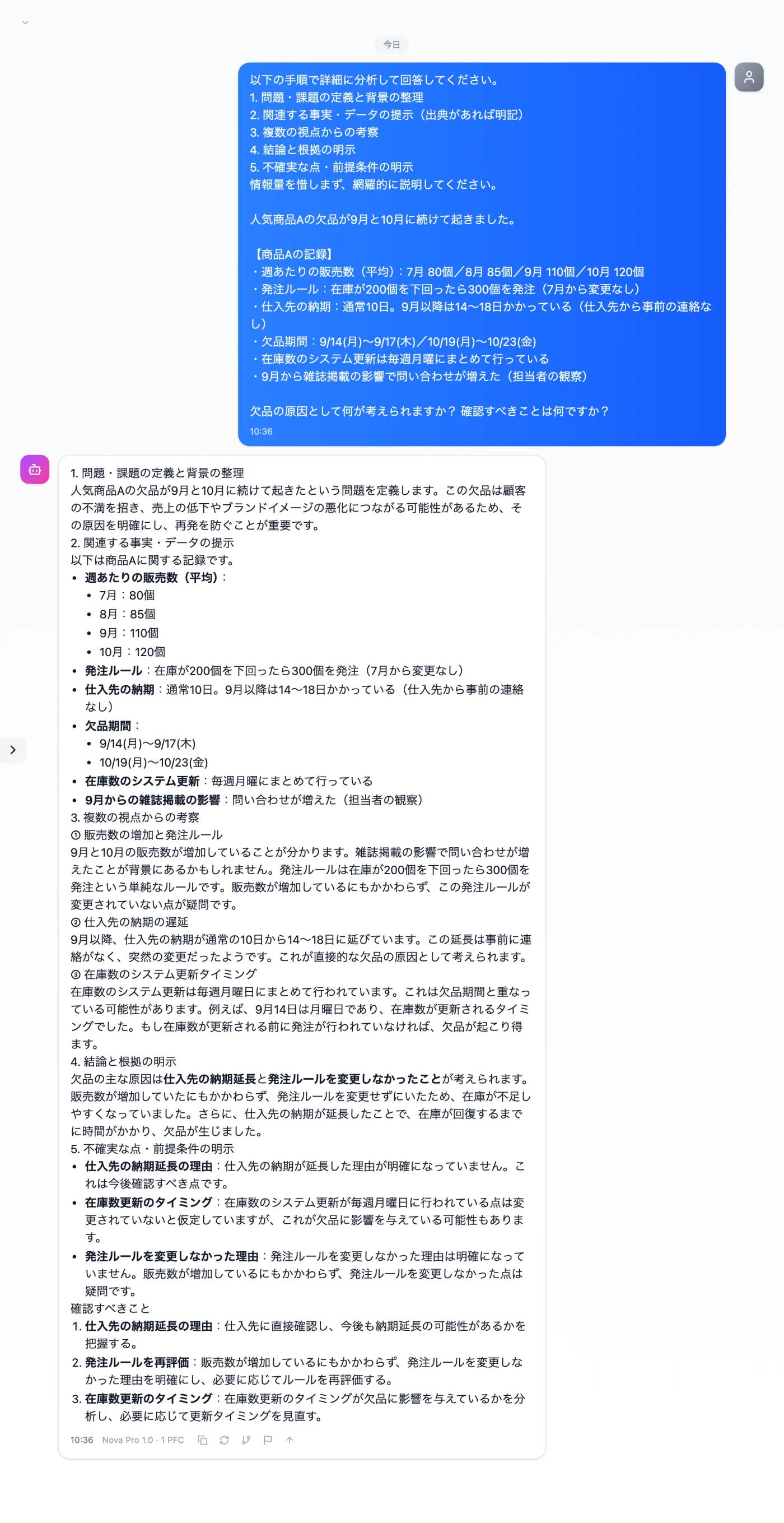
Actual screen (using the "Detailed analysis mode" input preset) (an example of use)View larger image
Just 3 steps
List the records
Monthly sales and ordering rules, as bullet points.
Choose "Detailed analysis mode"
Apply "Detailed analysis mode" in the "Input presets" tab.
Check against operations
Verify the factors raised against how you actually manage stock and orders.
Other uses work the same way
If you are unsure about the wording, you can also have another AI write it and compare.
For your next "why", start by listing the records.
Try it in Prompt Flow Studio