Customer support / How-to help
The help page is long.
Have just the steps for what you want to do
explained in order.
Just send the help page URL and the action you want to do. Steps that follow the page's operation names come back in order.
Try it in Prompt Flow StudioURL provided
I just joined the development team of a fictional production company, "Hinata Seisaku." I want to turn the changes on my working branch into a pull request as a draft that is not yet ready for review.
Following the help page below, tell me the steps to do this in the browser, in order. Don't add steps that aren't written on the page.
https://docs.github.com/ja/pull-requests/collaborating-with-pull-requests/proposing-changes-to-your-work-with-pull-requests/creating-a-pull-request
Steps returned
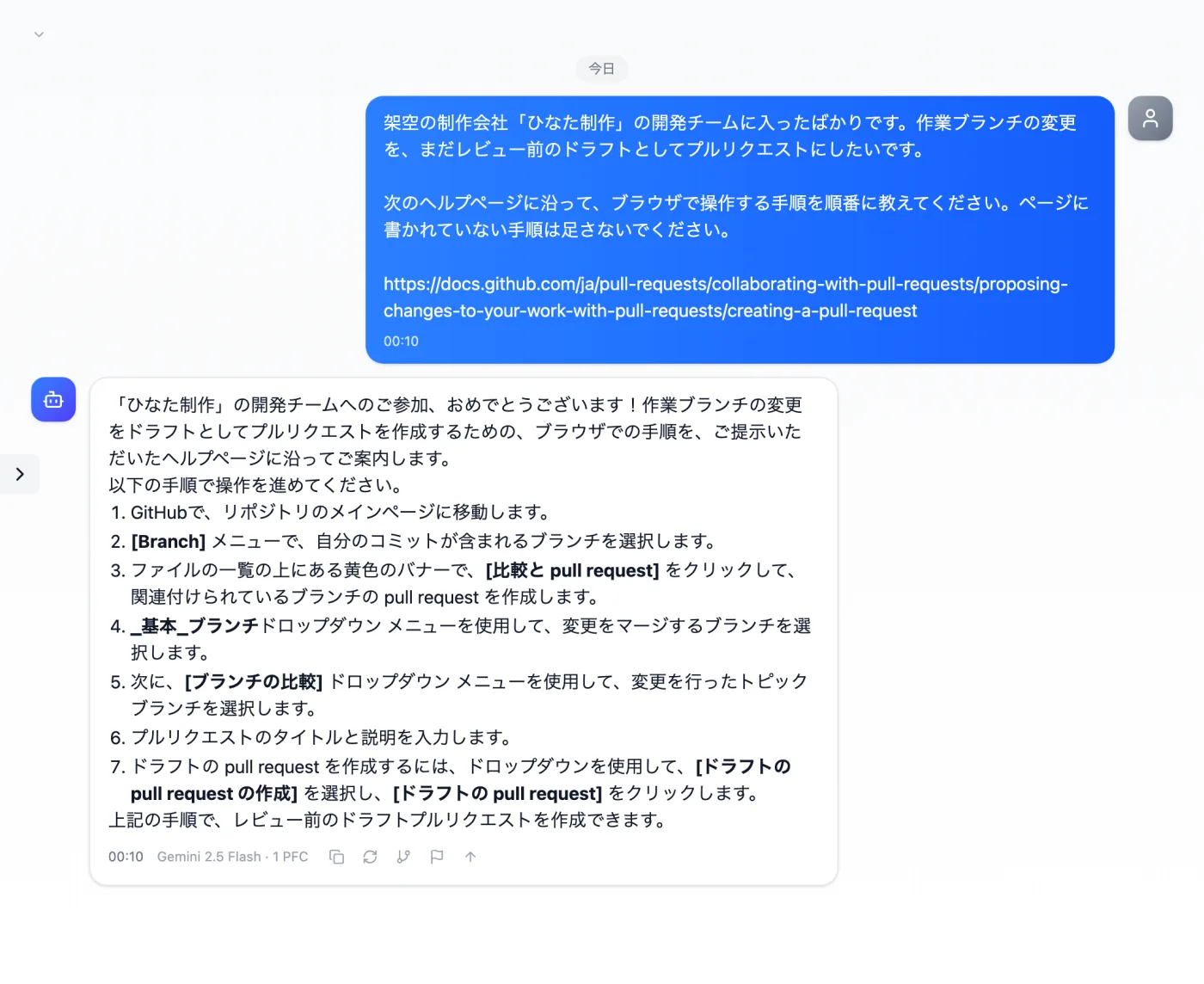
Actual screen (consulting with the URL written in the message, web search OFF) (an example of use)View larger image
Just 3 steps
Prepare the URL
Prepare the URL of the public page you want to ask about.
Write it with your question
Write the action you want to do and the URL in the message, and send it.
Compare with the original page
Check and tell apart items not on the page and suggestions from the AI.
Other uses work the same way
If you are unsure about the wording, you can also have another AI write it and compare.
Start your next task from the help page URL, too.
Try it in Prompt Flow Studio