Field & Store / Field report
Field reports when your hands are full,
by voice input.
AI turns them into a checklist.
Just speak into the mic about what happened and your hypothesis. Reread the transcription and send it, and you get back what to check next.
Try it in Prompt Flow StudioWhat was said
[Script read aloud]
This is a fictional example for the screenshot. The conveyor in Warehouse 2 stopped three times this morning. Each time it stopped, packages had piled up. Sato, who is in charge, suspects the sensor is dirty. Please organize what to check next as a bulleted list.
[Transcription result (sent text)]
This is a fictional example for the screenshot. The conveyor in Warehouse 2 stopped 3 times this morning. Each time it stopped, packages had piled up. Sato, who is in charge, suspects the sensor is dirty. Please organize what to check next as a bulleted list.
Check points returned
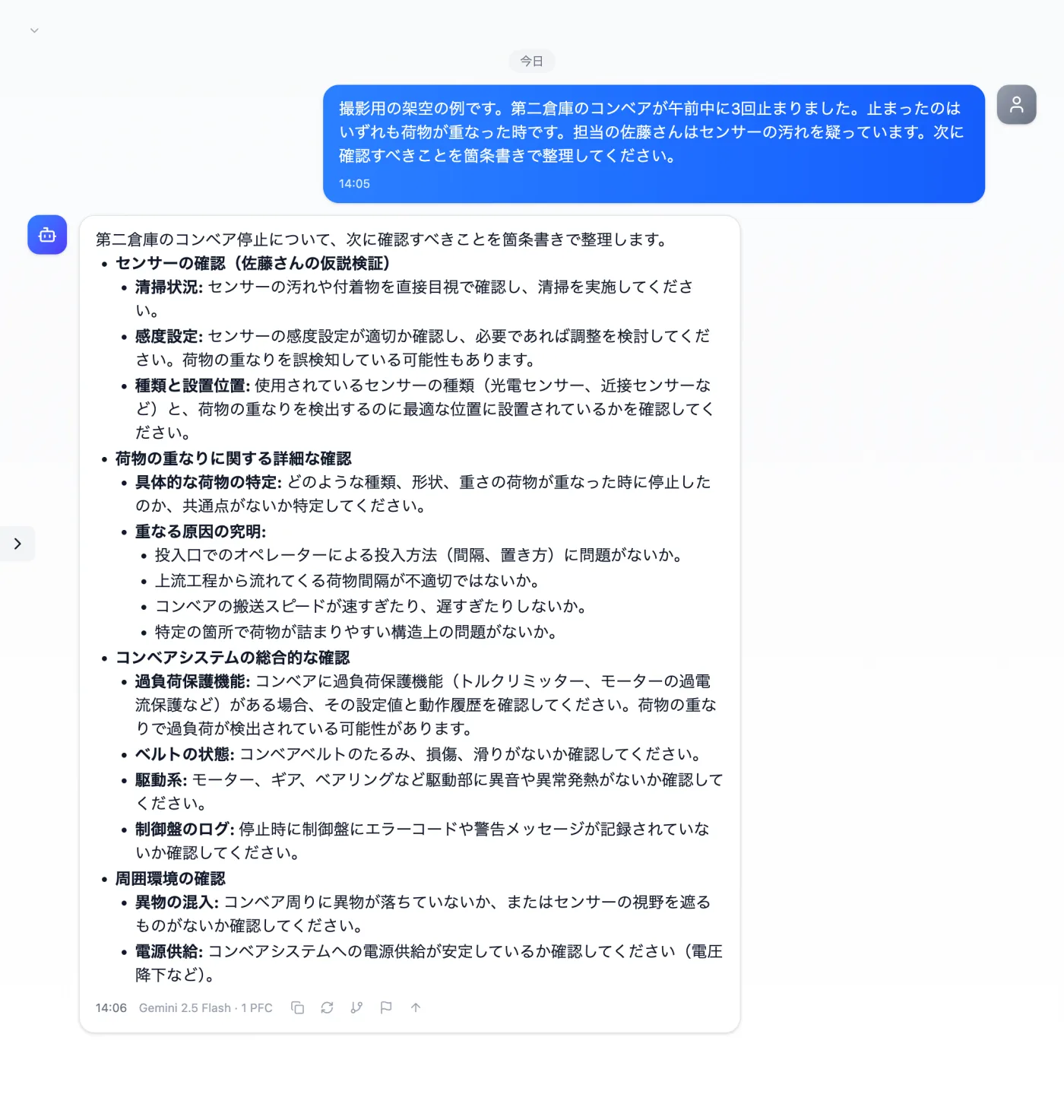
Actual screen (voice input, 19-second recording) (an example of use)View larger image
Just 3 steps
Speak into the mic
Press the mic below the input box and say what you want to report.
Reread the text
When you stop, the transcription goes into the input box. Check names and numbers.
Review and send
Fix it in the input box if needed, then send.
How to speak about the situation on site and turn it into a report
- Press the mic below the input box and describe what happened. In this example, we described a warehouse conveyor stopping.
- Stop when you're done. What you said appears as text in the input box.
- Reread the transcription. Check that people's names and numbers match what you said.
- If needed, fix it in the input box and add a request such as "organize what to check next as a bulleted list".
- Send it, and use the returned check points as a handover to the next person acting on site.
What to include when you speak
- When, where and what happened (in this example, "this morning, the conveyor in Warehouse 2, 3 times")
- What the occurrences had in common (in this example, "when packages piled up")
- The person in charge's view of the cause (say it as a hypothesis)
- What has already been tried, and the results
- What you want your manager or others involved to decide
- Who will receive the report (your manager, or colleagues on the same site)
Tips for speaking
- Keep facts and hypotheses separate. "It stopped 3 times" is a fact; say "the dirty sensor might be the cause" as a hypothesis.
- Say numbers and times with units, like "around 10 a.m."
- In noisy places, hold the mic close to your mouth; it makes rereading the transcription easier.
- Avoid words like "that" or "it", and say the names of equipment and places as they are.
- When one topic is done, pause a moment before moving on to the next.
- For equipment whose on-site nickname differs from its official name, say "also known as" at the start.
When you want to share from the site right away
- When your hands are busy and you can't type
- When you find equipment trouble and want to tell your manager the situation on the spot
- When you'd rather speak and record on site than write from memory after returning to the office
- When you want to briefly describe the previous day's situation at a morning meeting or handover and share an organized write-up
How to use the result after it's organized
- Turn the returned check points into a list with owners and deadlines, and share it with your colleagues on site.
- Then ask it to rework the same content into a short report for your manager.
- Note what you confirmed as items to look at on the next inspection round.
Questions about voice input
- Do I need to re-record if I misspeak?
- The transcription goes into the input box, so if a name or number is wrong you can retype it there. Re-recording is only needed when you went far off topic.
- What if I talked for too long?
- Break it into parts and ask in sequence.
Other uses work the same way
If you are unsure about the wording, you can also have another AI write it and compare.
Start your next report by speaking.
Try it in Prompt Flow Studio