Planning & Management / Plans by budget
Plans by budget,
from the same requirements,
branched and compared.
Just press "Branch from here" under the answer to your shared requirements, and write the budget in each branch. The original conversation stays as it is, and plans for each budget come back separately.
Try it in Prompt Flow StudioShared requirements sent
[Shared] The fictional local sports club "Aozora FC" (80 members) will hold an event for its 10th anniversary on Saturday, March 13, 2027. In the morning there's a parent-and-child soccer class, and in the afternoon an awards ceremony and social gathering. What items need to be considered in preparation?
[Branch x] If the budget is ¥100,000, what should be prioritized and what should be dropped? Please also give a rough breakdown of costs.
[Branch y] If up to ¥500,000 can be used, what could be added to raise participant satisfaction? Please also give a rough breakdown of costs.
The ¥100,000 plan in the branch
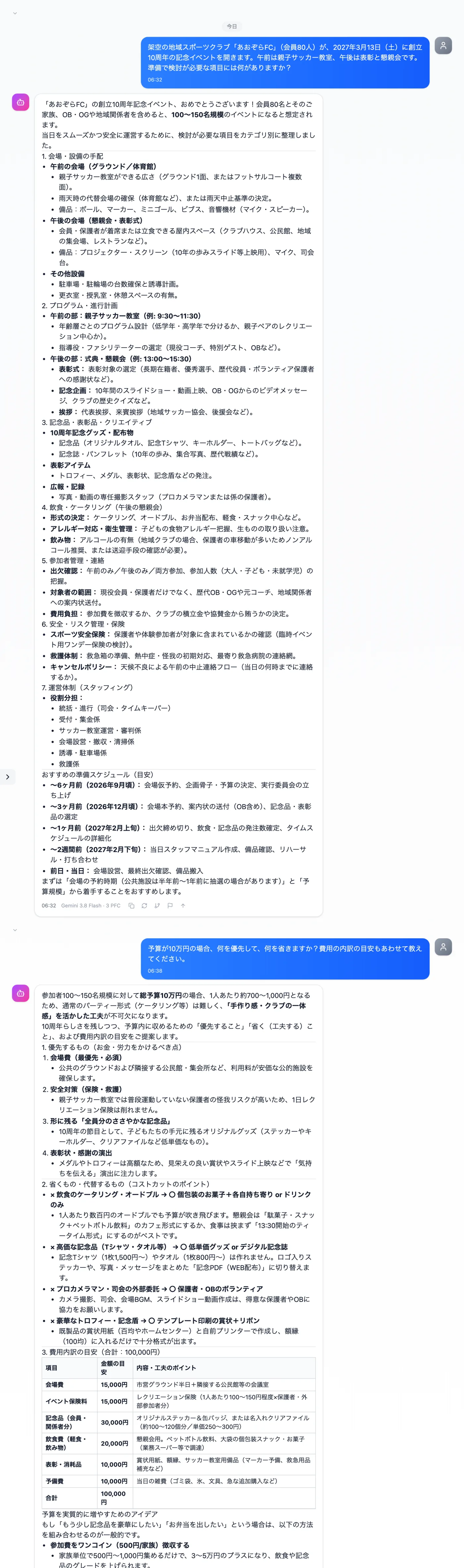
Actual screen (using conversation branching) (an example of use)View larger image
Just 3 steps
Send the shared requirements
Write the material common to every plan: date, number of people, content, etc.
Branch from here
Use "Branch from here" under the answer to create a separate conversation.
Add conditions and send
In each branch, write conditions such as the budget and send.
Other uses work the same way
If you are unsure about the wording, you can also have another AI write it and compare.
Line up plans with different conditions using branches.
Try it in Prompt Flow Studio