General affairs & internal / Sharing a trouble update
Attendance system trouble.
Share the current status
briefly with the whole company.
Just write the start time, impact, investigation status and requests as notes. What employees should do now and the next update time come back in a short message.
Try it in Prompt Flow StudioNotes provided
I want to post the status of a problem happening right now in the company-wide chat. Please use the notes below.
[Notes]
- Started: from around 9:40 on Thursday, 10/29, the attendance clock-in screen cannot be logged into
- Impact: of about 180 employees in total, about 60 working from home. People in the office can clock in with the time card terminal
- Cause: under investigation (may be related to the certificate renewal work on the authentication server; not confirmed)
- Status: contacted the maintenance company at 10:15. The maintenance company will start investigating at 11:00
- Request: those who cannot clock in should report their start time to their manager via chat. It will be corrected all together later
- Next update: 12:00 (if it is restored before then, we will notify you immediately at that time)
Update that came back
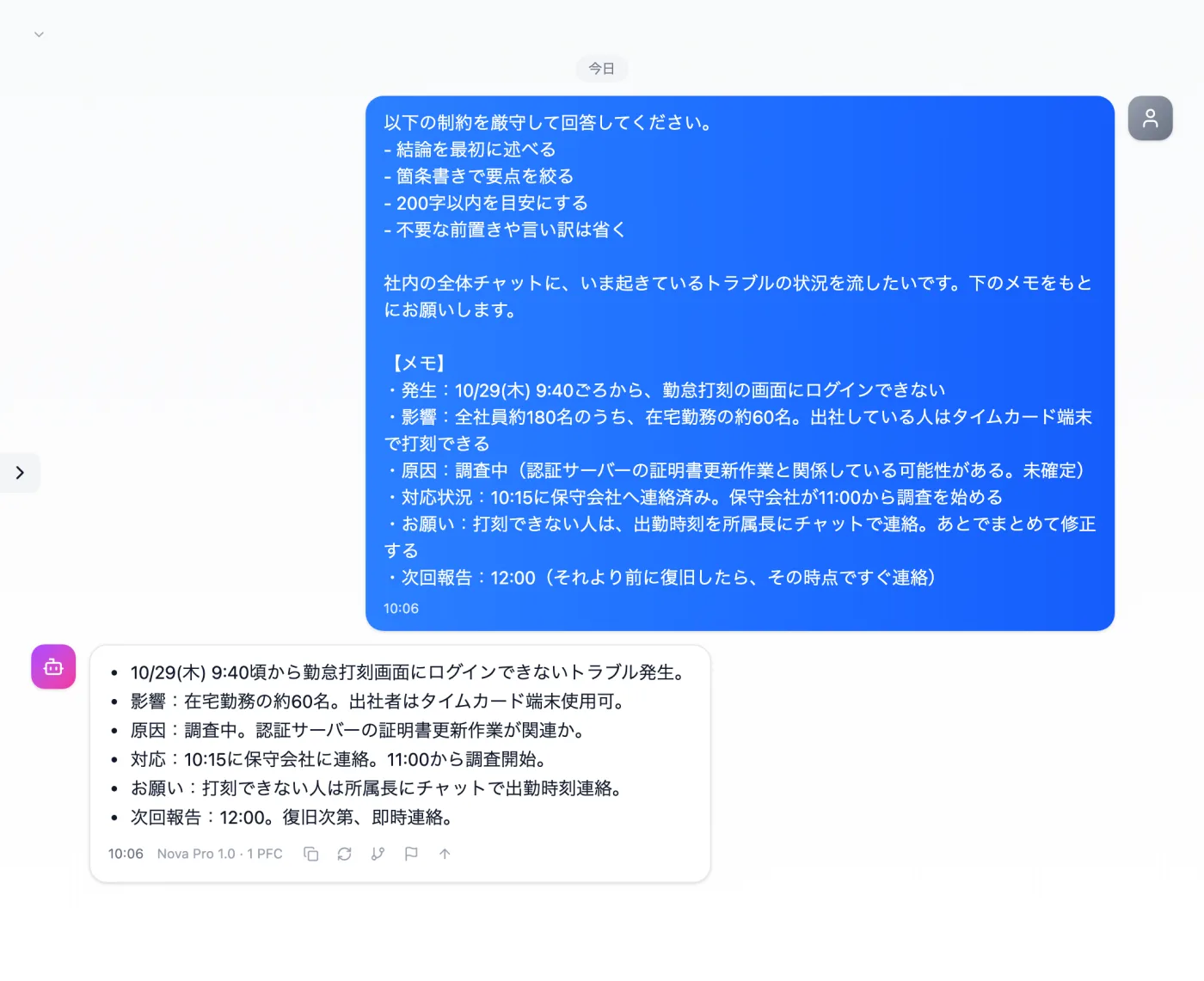
Actual screen (using the "Concise answer mode" input preset) (an example of use)View larger image
Just 3 steps
Write the notes
As bullet points: start, impact, cause, requests and next update.
Choose "Concise answer mode"
Apply "Concise answer mode" in the "Input presets" tab.
Check and post
Check the times, headcounts and how the unconfirmed cause is worded.
Other uses work the same way
If you are unsure about the wording, you can also have another AI write it and compare.
Your next first report starts from 6 lines of notes.
Try it in Prompt Flow Studio