General / Rescheduling notice
A meeting is being rescheduled.
Get the key points to convey
as short items.
Just write the date, time, and place before and after the change, the reason, and the impact on the other party. You get the changes to tell them as short items.
Try it in Prompt Flow StudioNotes provided
I want to let the person in charge at a client know that our appointment is changing. Please write a message that conveys the content below.
- Before: Thu 11/5, 15:00-16:00, regular meeting at their office
- After: Fri 11/6, 10:00-11:00, online (the meeting URL will be sent by the day before)
- Reason: The person in charge on our side has to attend another matter on 11/5
- Impact on them: The explanation of the new quote planned for 11/5 will be given on 11/6. The quote submission deadline (Tue 11/10) does not change
- They had booked a meeting room for us, so we need to ask them to cancel it
Key points returned
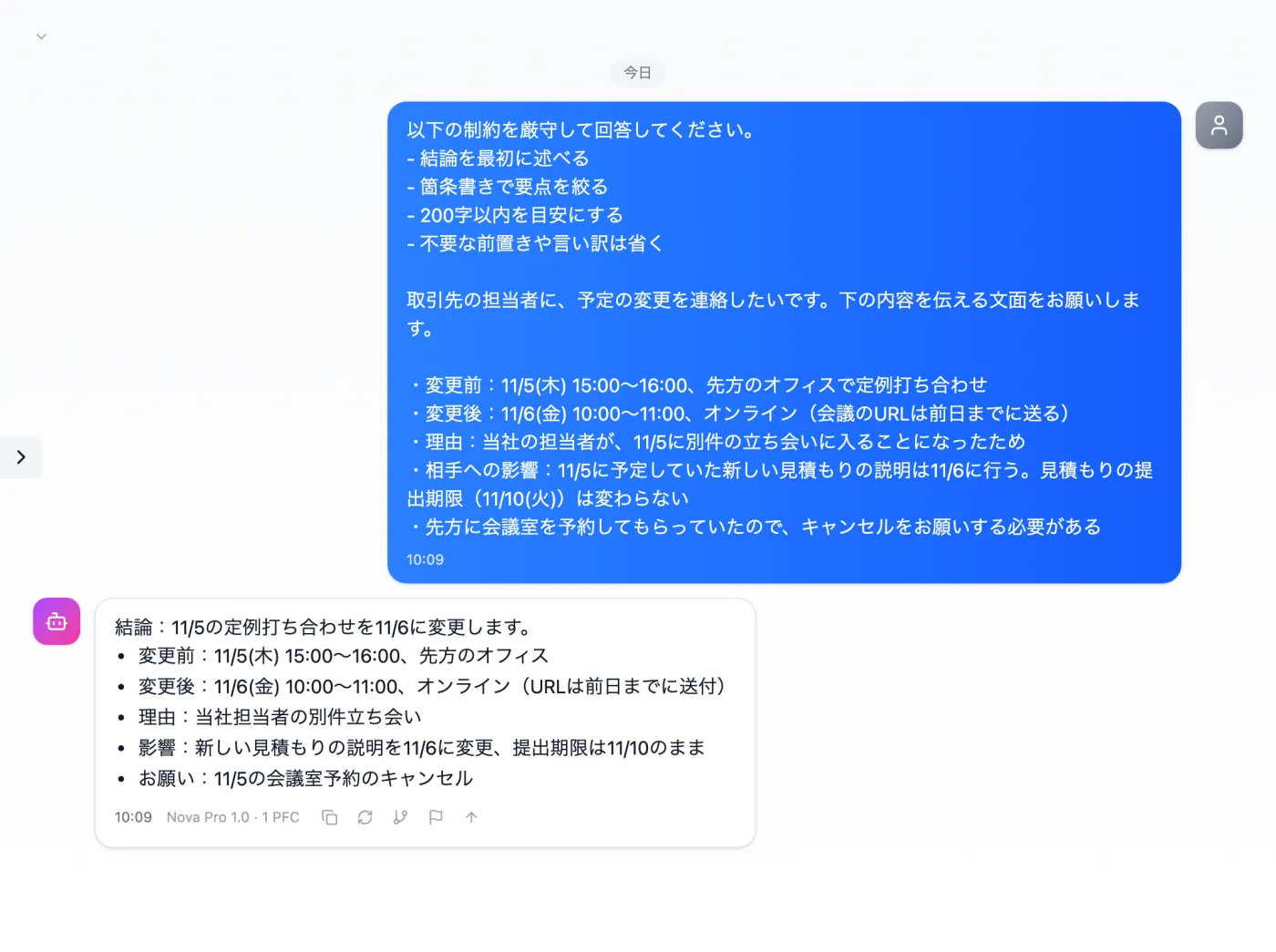
Actual screen (using the "Concise answer mode" input preset) (an example of use)View larger image
Just 3 steps
Write notes
Bullet points for before, after, the reason, and the impact on them.
Choose "Concise answer mode"
Apply "Concise answer mode" in the "Input presets" tab.
Turn it into a message
Add greetings and an apology, check the dates and times, and send.
Other uses work the same way
If you are unsure about the wording, you can also have another AI write it and compare.
For the next schedule change, start from the key points.
Try it in Prompt Flow Studio