HR & recruiting / New-hire FAQ
Answer new hires'
same questions
with one FAQ.
Just paste the onboarding guide and ask for an FAQ of likely questions. Questions and answers about attendance, requests and equipment come back.
Try it in Prompt Flow StudioOnboarding guide provided
[Onboarding guide (excerpt)]
- Working hours: 9:00 to 18:00 (1-hour break). Flextime is available from 3 months after joining
- Attendance: clock in and out by holding your employee ID card to the card reader. If you forget to clock in or out, submit a correction request in the attendance system the same day
- Paid leave: 10 days granted 6 months after joining. Until then, special leave (3 days) can be used
- Equipment: receive your laptop and employee ID card from General Affairs on your first day. Stationery can be taken freely from the shelves on each floor
- Expense claims: submit expenses you paid in advance in the expense system by the 5th of the following month
- When in trouble: HR for attendance and leave, the Information Systems Section for PCs and accounts, General Affairs for equipment
We keep getting the same questions from new hires, so could you turn this onboarding guide into an FAQ of questions and answers likely to be asked about attendance, requests and equipment?
FAQ that came back
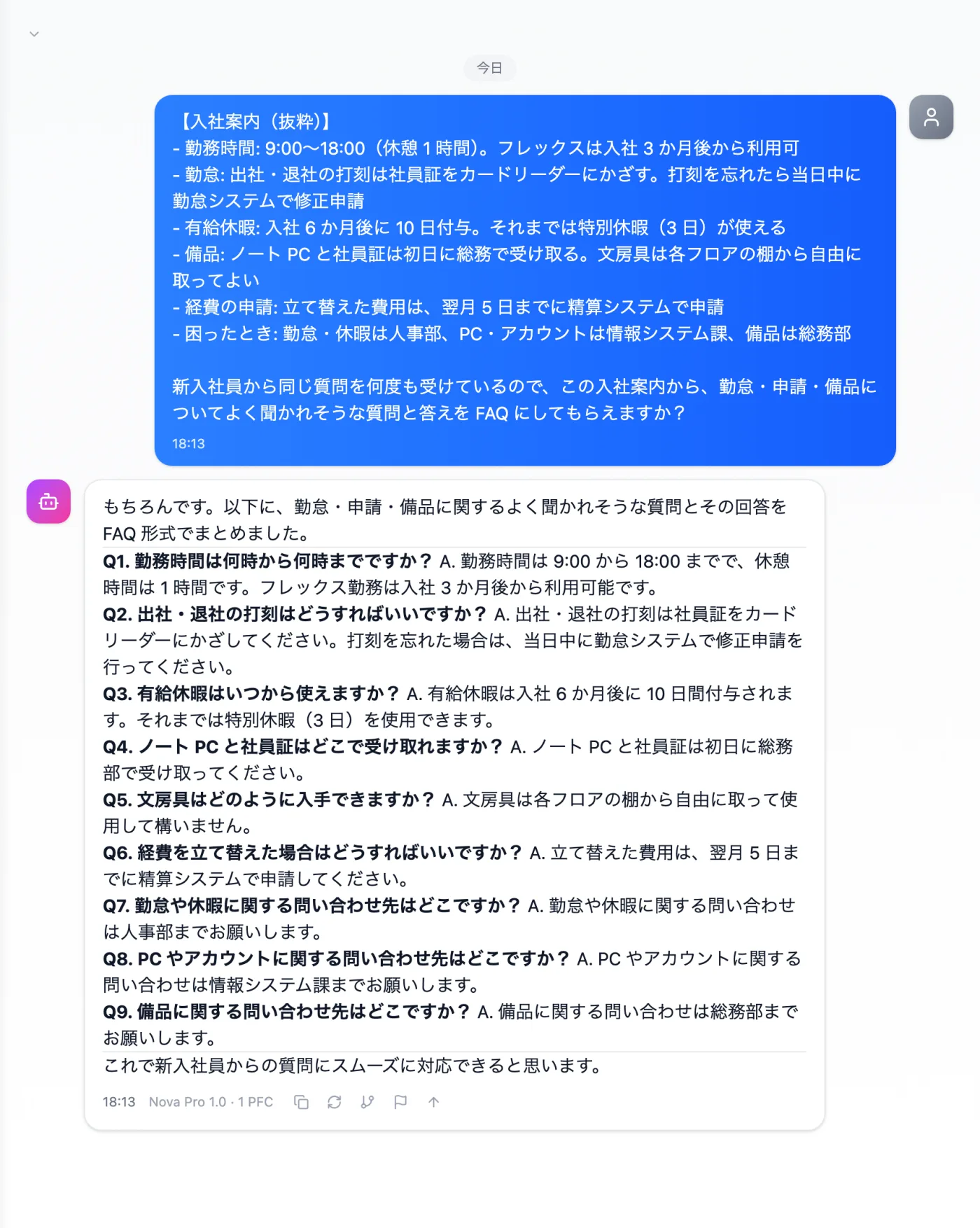
Actual screen (using the "FAQ format" output style) (an example of use)View larger image
Just 3 steps
Paste the guide
Paste a guide covering work hours, attendance, leave, equipment, requests and contacts.
Choose a style
Choose "FAQ format" from "Presets" in the input box.
Check against company rules
Check that the numbers of days, deadlines and contacts match the current rules.
Other uses work the same way
If you are unsure about the wording, you can also have another AI write it and compare.
Start your next onboarding guide with an FAQ.
Try it in Prompt Flow Studio