Customer Support / Outage inquiries
After an outage is resolved,
share the confirmed information
as an FAQ.
Just paste the confirmed outage information and ask for an FAQ. Questions and answers about the scope of impact, recovery status and resuming use come back.
Try it in Prompt Flow StudioOutage information provided
After the outage is resolved, I want to be ready for customer inquiries. From the following confirmed outage information, please create an FAQ about the scope of impact, recovery status and resuming use.
[Outage information (confirmed)]
- Occurred: Oct 27, 9:12–11:05 (about 2 hours)
- What happened: the booking service screens would not open, and bookings could not be made or changed
- Scope of impact: all customers. Bookings attempted during the outage were not registered
- Data: all bookings registered before the outage remain (no data was lost)
- Recovery: all functions returned to normal at 11:05. No action or setting changes are needed on the customer's side
- If you could not book during the outage: please register the booking again
- Cause: the database reached its capacity limit. We will review capacity monitoring to prevent recurrence
- Compensation: handling of usage fees is under consideration. We will notify you by email once decided
FAQ returned
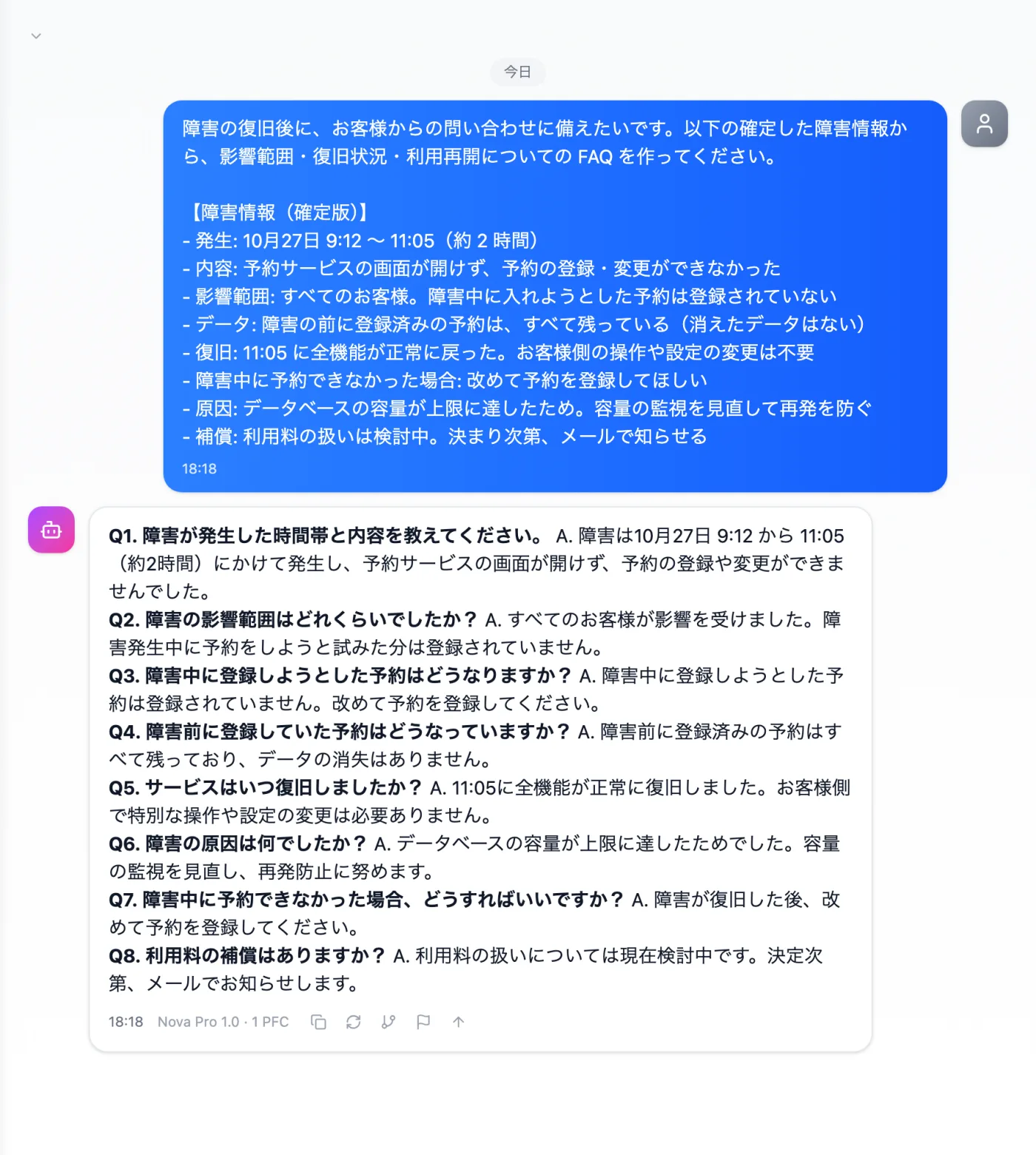
Actual screen (using the "FAQ format" output style) (an example of use)View larger image
Just 3 steps
Write the confirmed information
Write the time of occurrence, impact, data, recovery and what customers need to do.
Choose a style
From "Presets" in the input box, choose "FAQ format".
Tidy up duplicates
Merge questions with the same content and review undecided items.
Other uses work the same way
If you are unsure about the wording, you can also have another AI write it and compare.
Your next outage notice starts from an FAQ.
Try it in Prompt Flow Studio