Customer support / Product-specific documents
Documents per product —
switch the knowledge
and send the same question.
Just switch the referenced set to the target product and send the same question. With another product's documents you get "not stated"; with the right documents you get the values.
Try it in Prompt Flow StudioQuestion sent
What is the filter replacement interval for the Aeris P200, and what is the model number of the replacement filter?
Answer after switching
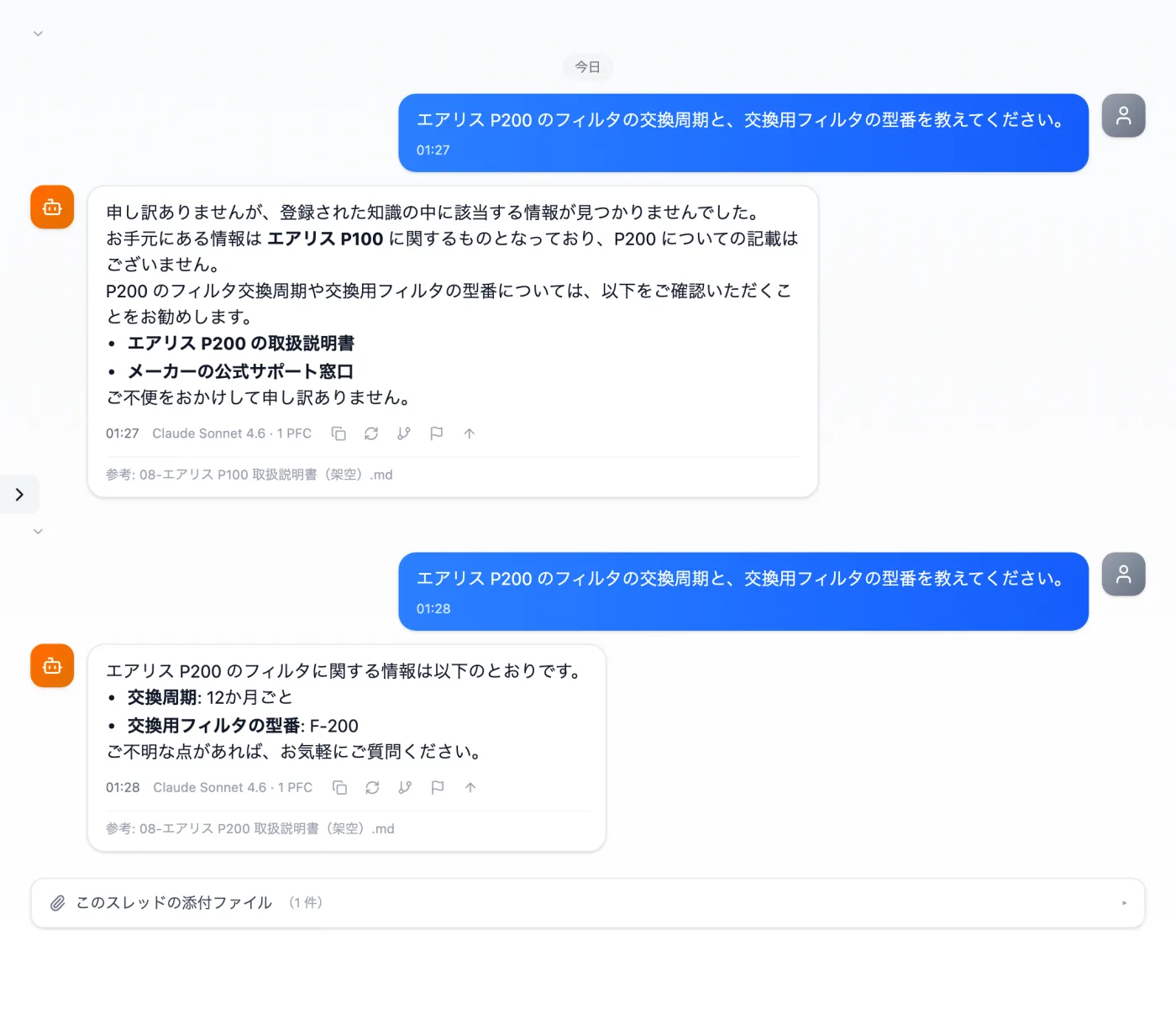
Actual screen (knowledge switched from the P100 set to the P200 set) (an example of use)View larger image
Just 3 steps
Register by product
Register each product's documents as a set.
Switch the set
Re-check the target product's set and apply it.
Send the same question
Check the answer and the "Reference: document name."
Other uses work the same way
If you are unsure about the wording, you can also have another AI write it and compare.
Different product, different documents.
Try it in Prompt Flow Studio