Training and education / Internal study sessions
Study session slides:
from scattered notes
to a first draft.
Just write your notes, the audience and the time, and ask for slides. Slides arranged in an order your audience will follow come back as a pptx file.
Try it in Prompt Flow StudioNotes provided
Please create a PowerPoint file. It's the slide deck for an internal study session (20 minutes) at our fictional company.
Notes:
- Before opening an attachment, confirm with the sender through a different channel
- At our fictional company, 42 suspicious emails were reported in the first half of FY2026
- Look closely at the domain of the sender's address
- Be careful with wording that rushes you ("today", "urgent")
- If you've opened one, contact the IT department at extension 2200. You won't be blamed, so tell them quickly
- Of the 42 reports, 3 were actually opened
- Check where a link goes before clicking it
The theme is "How to spot suspicious emails". The notes are in no particular order, so please rearrange them into an order that's easy for the audience to understand and make them into PowerPoint slides.
Finished file
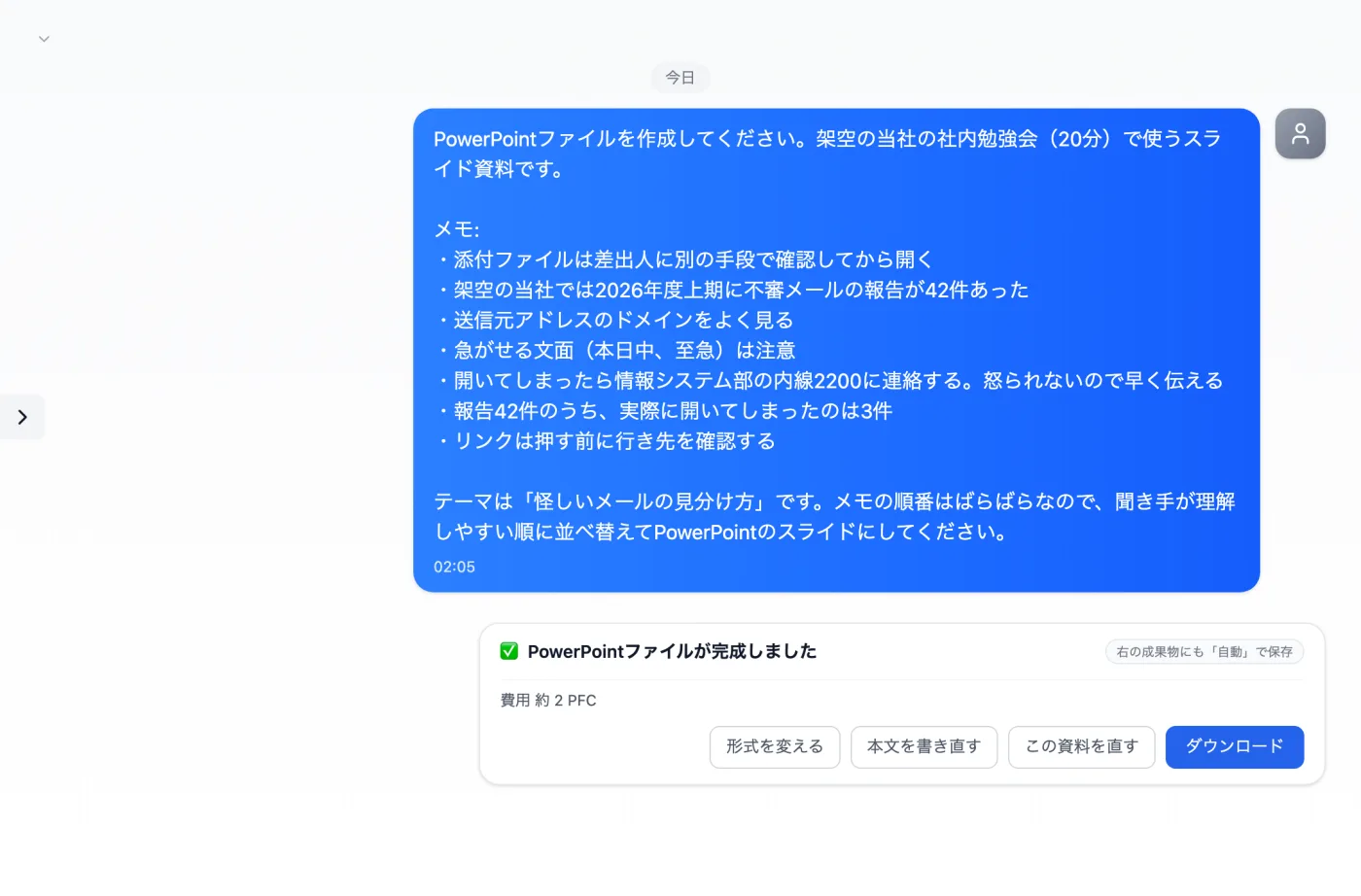
Actual screen (creating a PowerPoint file, completion card) (an example of use)View larger image
Just 3 steps
Send the material
Write your notes, the audience and the time, and ask for slides.
Check the creation card
Confirm the format, template and number of slides, then press "Create".
Download
Get it from "Download" on the completion card and check the contents.
How to make study session slides from notes
- Decide the session's theme and who the audience is (new hires, frontline staff, and so on).
- Write down what you want to talk about in notes, without worrying about order. In this example too, the notes were in no particular order.
- Write how much time you have. This example is a 20-minute session.
- Ask "Please make these into PowerPoint slides", check the format, template and number of slides on the creation card, and press "Create".
- Get the pptx from "Download" on the completion card, open the pages in order and check the contents.
What to include in your notes as slide material
- The theme (e.g. how to spot suspicious emails) and the goal of the session
- The size of the audience and what they already know
- Internal figures (counts, percentages and so on). This example includes "42 reports"
- Who to contact when in trouble, and a list of steps
- At the end, the action you want the audience to take
- If there are diagrams or tables you want to use, their names and the point you want to show
When there isn't enough time to prepare a study session
- When the theme is decided the night before and there's no time to build slides from scratch
- When you want to share cases collected internally with other departments
- When you want to lighten monthly session prep to just handing over notes
- When you want to prepare the handout for after the session from the same notes
- When the audience, such as new hires, has little background knowledge and you want to add explanations of terms
How to ask so the order works for your audience
- You don't need to reorder your notes. Ask to "rearrange them into an order that's easy for the audience to understand".
- Add "Please keep one topic per slide" to ask for a structure that isn't crammed with text.
- Ask for the last slide to include just one action you want people to take away.
- Ask for slide titles to be "a single sentence that states the conclusion". Then the audience can follow the flow just by reading the titles.
Answers to common questions about making slides
- Do I need to adjust how the slides look myself?
- You can open the downloaded file and fix anything you want to change. Before creating, check the template to be used on the creation card.
- Can I get study session slides even with only a few notes?
- If you have a few lines of key points, you can ask for slides that form the skeleton. For anything missing, add it to your notes and ask again.
Other uses work the same way
If you are unsure about the wording, you can also have another AI write it and compare.
Your next study session starts with 7 lines of notes.
Try it in Prompt Flow Studio