General Affairs / Operating manual
A manual where sentence endings
and terms are all over the place.
Make the wording consistent.
Just paste the steps of your manual. A revised version with the wording reviewed comes back, along with the changes for each step.
Try it in Prompt Flow StudioSteps provided
This is part of an internal operating manual.
[How to submit an expense claim]
1. Log in to the portal and open the "Expense Claims" menu.
2. Please click the "New" button.
3. On the claim screen, enter the date, amount and description.
4. Attach a photo of the receipt. If you don't have a receipt, please write the reason in the remarks field.
5. After checking what you entered, you press down the "Submit" button.
6. The approver checks it, and once approved it goes to accounting. If it is sent back, please check the comments and resubmit.
7. You can check the claim status from the claim screen.
Could you make the inconsistent terms and the way instructions are written consistent?
Revision returned
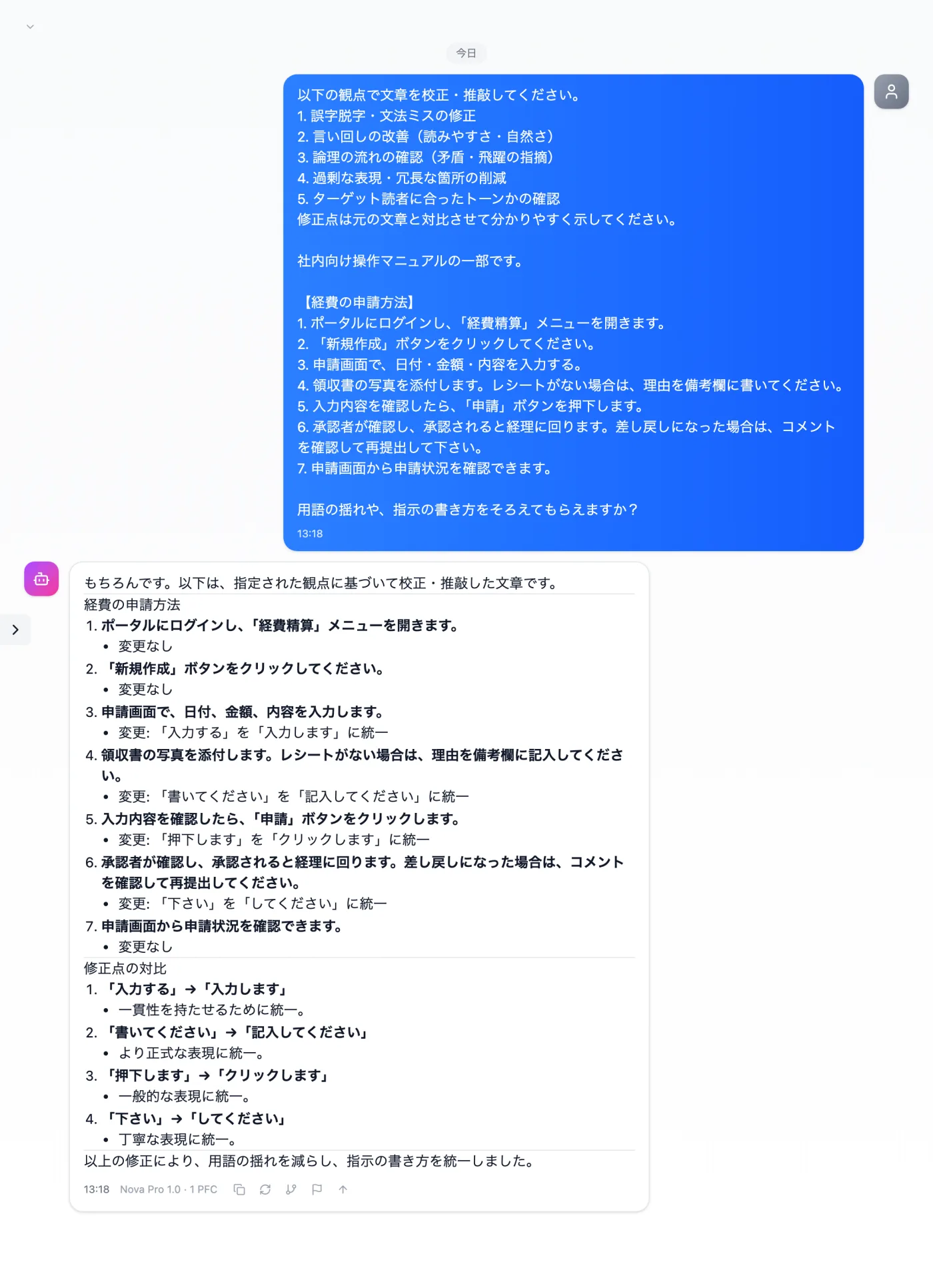
Actual screen (using the "Proofreading & editing mode" input preset) (an example of use)View larger image
Just 3 steps
Paste the steps
Paste the steps you want fixed, with their numbers as they are.
Choose "Proofreading & editing mode"
Apply "Proofreading & editing mode" in the "Input presets" tab.
Reread the whole thing
Read it through to check that terms and sentence endings are consistent.
Other uses work the same way
If you are unsure about the wording, you can also have another AI write it and compare.
Make instructions readers won't get lost in.
Try it in Prompt Flow Studio