IT and development / PC setup guide
A PC setup guide
new hires can follow
on their own.
Just paste your setup notes and ask for numbered steps. A guide from receiving the PC to first login comes back.
Try it in Prompt Flow StudioSetup notes provided
[Setup notes (IT Section)]
- By the day before the start date, the IT section creates the account and gives General Affairs a printed sheet with the temporary password
- On day one, receive the laptop and the temporary password sheet at General Affairs
- Turn on the PC and connect to the office Wi-Fi "office-staff" (password is on the sheet)
- Log in with your company account (email address) and temporary password, then change to a new password (12 characters or more)
- Install an authenticator app on your smartphone and set up two-factor authentication
- Open email and the work chat; you're done once you can see the "Welcome" message waiting for you
- If you can't log in, call extension 200 (IT Section)
Could you turn this into numbered steps, from account preparation to first login, so new hires can follow them on their own?
Setup guide returned
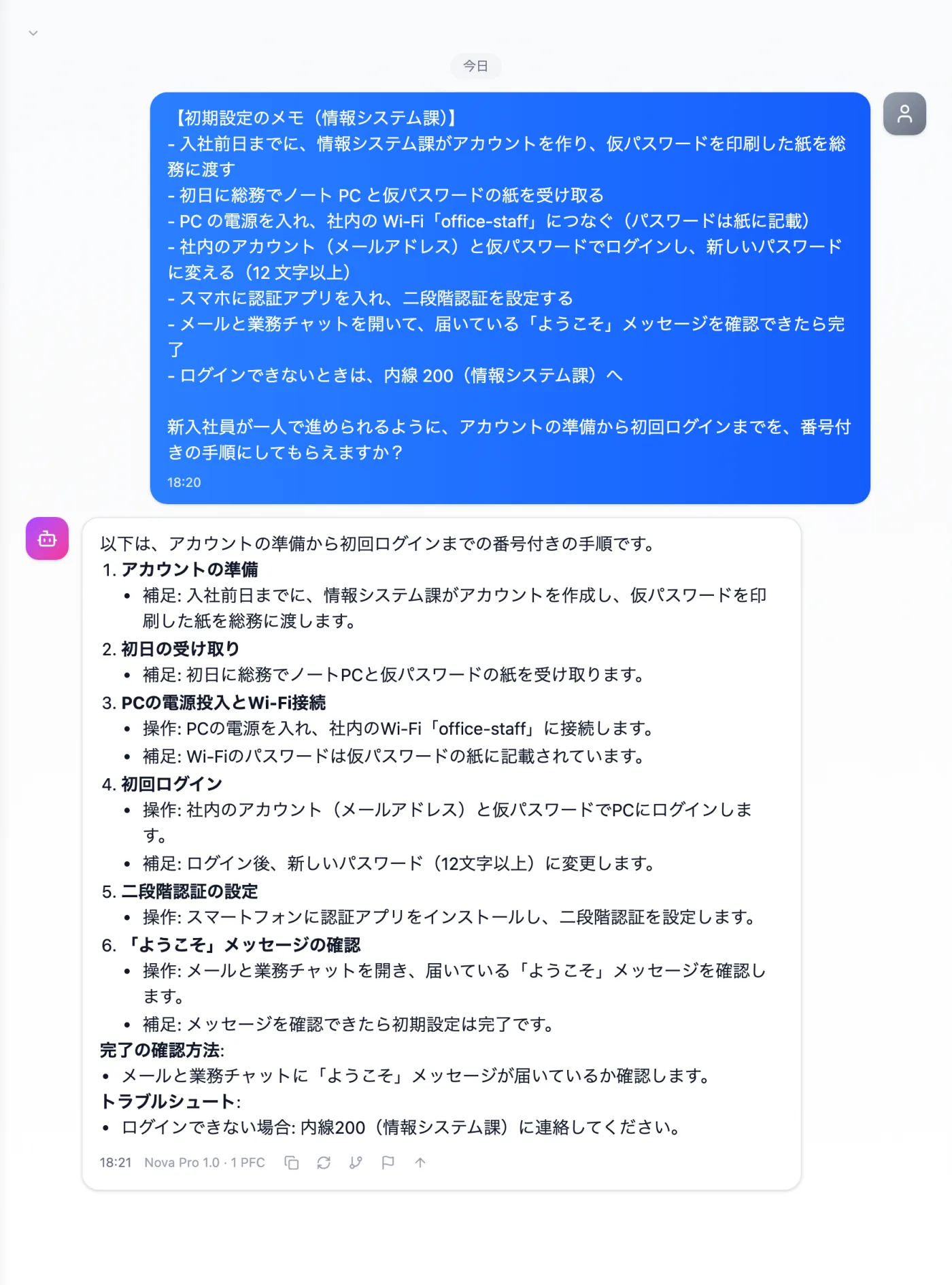
Actual screen (using the "Numbered steps" output style) (an example of use)View larger image
Just 3 steps
Write the tasks
Note them in order: receiving, connecting, logging in, authentication and checking.
Choose a style
Select "Numbered steps" from "Presets" in the input area.
Check against how you hand things out
Confirm it matches actual practice, such as how passwords are handed over.
Other uses work the same way
If you are unsure about the wording, you can also have another AI write it and compare.
Prepare for your next new hire with a setup guide.
Try it in Prompt Flow Studio