Marketing & PR / Summarizing free-text answers
Free-text survey answers —
read lots of feedback
all at once.
Just paste the question and the free-text answers. You get back an overview of the feedback, split into positives and problems.
Try it in Prompt Flow StudioAnswers provided
Please summarize the following free-text survey answers (12). The question was "Your impressions 3 months after introducing hot desking."
- Seats change every day, so I don't know where people in my department are
- Unless I come in early, I can't get a window seat
- I can now talk with people from various departments
- Moving my things in and out of the locker is a hassle
- It takes time to find people in my department. I want a seating chart
- It's a nice change of pace
- Few seats have monitors, so it's hard to prepare documents
- More chances to chat with people from other departments
- The same people use the same seats every day, so they're effectively fixed seats
- People around me can hear my phone calls, so it's hard to talk with clients
- I've gotten used to it, so no particular complaints
- I use a wheelchair, so I can't sit at seats with narrow aisles, which limits the seats I can use
Summary returned
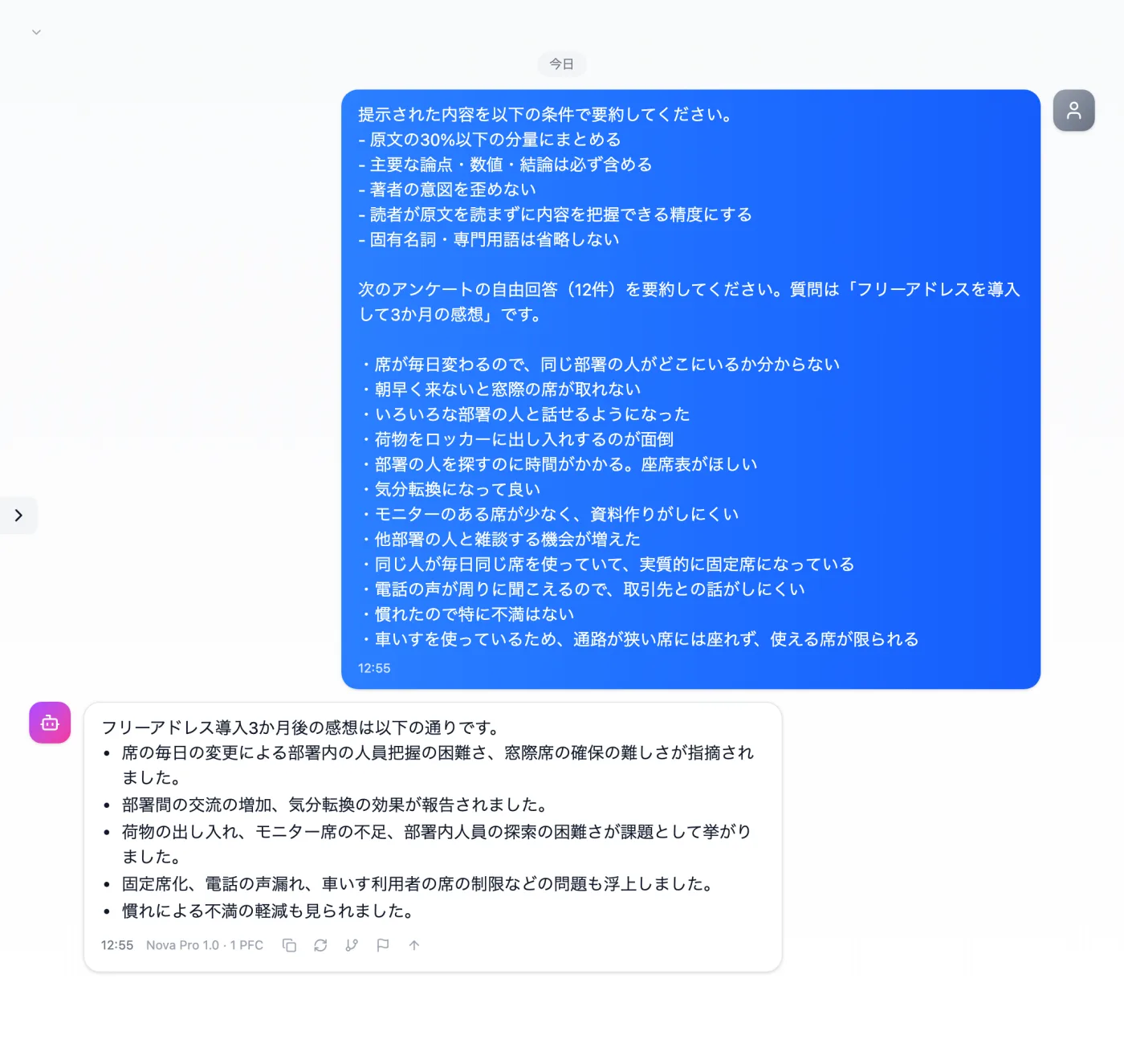
Actual screen (using the "Summary mode" input preset) (an example of use)View larger image
Just 3 steps
Paste the answers
Paste the question and each free-text answer, one per line.
Choose "Summary mode"
Apply "Summary mode" in the "Input presets" tab.
Check the counts
Make sure a single comment hasn't been mistaken for an overall trend.
Other uses work the same way
If you are unsure about the wording, you can also have another AI write it and compare.
Free-text answers, cut down to a readable amount.
Try it in Prompt Flow Studio