Meetings & minutes / Meeting minutes
Just your meeting notes.
AI writes the minutes,
you get them in Word.
Write down the date and time, attendees, discussion notes, decisions and owners, and ask for a Word document. You get back a docx organized into discussion, decisions, and owners and deadlines.
Try it in Prompt Flow StudioMeeting notes provided
Please create a Word document (docx). These are the minutes of a support improvement meeting at the fictional company "Chigusa Soft." Organize the notes below into discussion, decisions, and owners and deadlines.
Date and time: Thursday, November 12, 2026, 15:00–16:00. Attendees: 4 people — Yamamoto, Inoue, Kimura, Nakagawa.
Discussion notes:
- Replies to inquiries take 2 days on average. Yamamoto said the first goal should be within 1 day.
- Inoue proposed that turning the 30 most frequently asked questions into templates would speed things up.
- Kimura was concerned that difficult inquiries would remain that templates alone can't handle.
- Introducing automated replies was not decided this time because the cost is unknown.
Decisions: Create templates for the 30 frequently asked questions. Set the reply target to within 1 day.
Owners and deadlines: Inoue drafts the templates by Friday, November 27, 2026. Yamamoto announces the target internally by Friday, November 20, 2026. Kimura researches the cost of automated replies by the next meeting. The next meeting is Tuesday, December 1, 2026.
Finished Word document
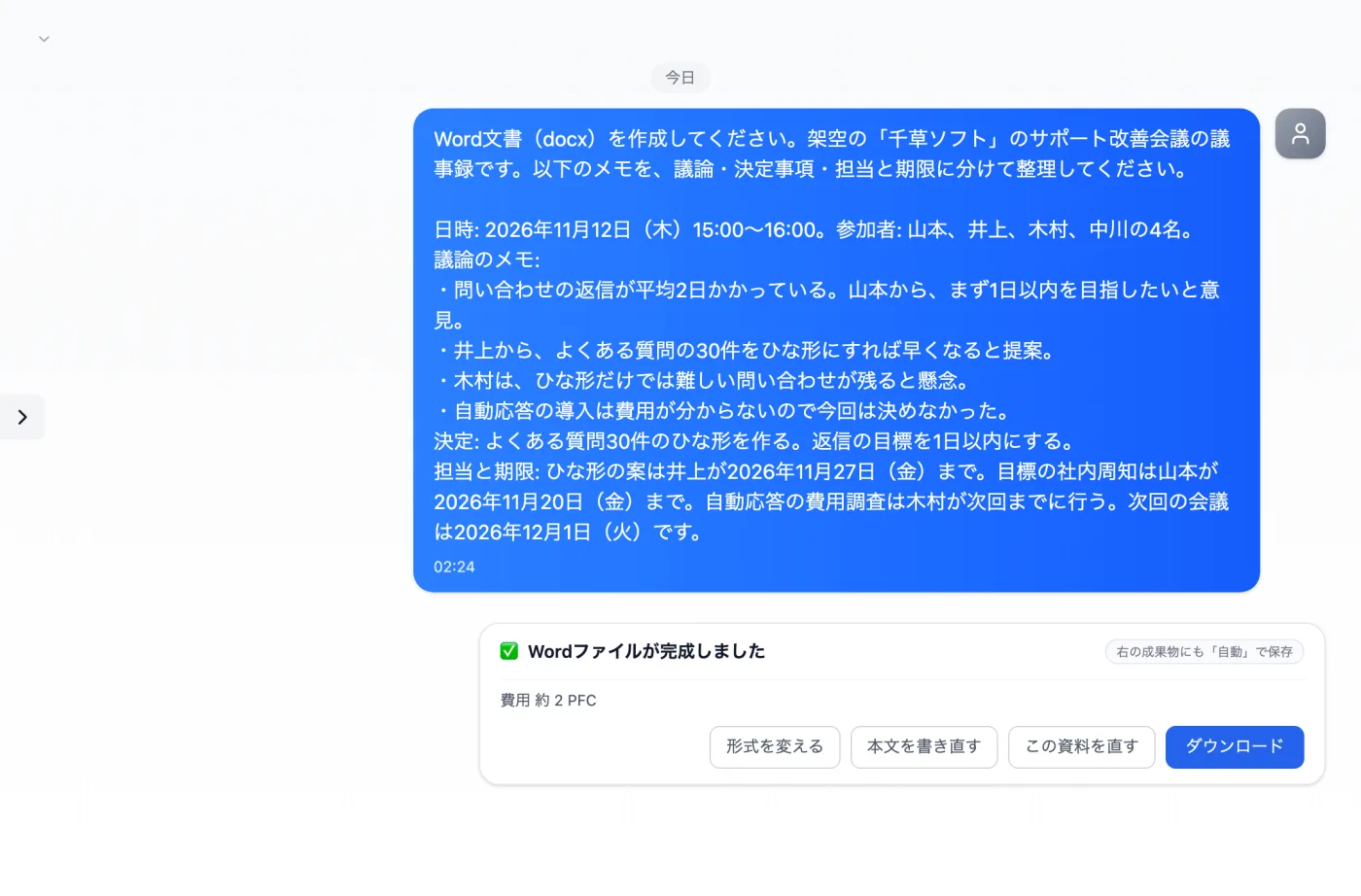
Actual screen (using Word document creation) (an example of use)View larger image
Just 3 steps
Write the material
List the date and time, attendees, decisions, and owners and deadlines as bullet points.
Check the creation card
Review the Word format, page count, and rough estimate, then create it.
Download and refine
Get the docx, remove anything that was added, and finish it.
From meeting notes to minutes
- Paste the notes you took during the meeting, in whatever order they are. There's no need to tidy them up.
- Put the date and time, location, and attendee names in the first few lines. This example also puts the date and time and the 4 attendees at the top.
- Add a note, in your own words, separating "what was decided" from "what wasn't decided."
- Write each owner and deadline one by one, specify the structure — "split into discussion, decisions, and owners and deadlines" — and ask for a Word document.
- Check the format and page count on the creation card, create it, then open the resulting docx and make the final touch-ups.
What to include in your notes
- Notes from the meeting (bullet points or fragments of what was said are fine)
- The meeting name and who will read the minutes (attendees, or people who were absent)
- The names of materials handed out at the meeting and any figures referenced during it
- Anything you especially want to tell people who were absent
- The date of the next meeting
Tips to add to your request for easier-to-read minutes
- Write the heading names in your request, such as "discussion, decisions, and owners and deadlines." This example asks for those 3.
- For meetings with many attendees, ask it to organize the most-discussed topics first.
- If you add speakers' names to your notes, you can ask for a summary that shows whose opinion is whose.
- If the minutes will also go to people outside the company, add a word about the readers and the tone (formal, for example) to your request.
- Ask it to put the meeting's purpose in one line at the top of the minutes, so readers immediately grasp what the meeting was about.
Questions about creating meeting minutes
- Do I have to write down everything that was said to get minutes?
- Fragments of the key points are enough. As long as decisions, owners and deadlines are written down, you can ask it to organize the flow of discussion from the surrounding notes.
- What if I want the same format as the last minutes?
- Paste the heading order from the previous minutes into your request and ask it to "use these headings in this order."
- Can I use this for weekly regular meetings too?
- Swap in the new notes and use the same request. It suits situations where you want to send out minutes the same day, right after the meeting ends.
Other uses work the same way
If you are unsure about the wording, you can also have another AI write it and compare.
Your next minutes start from your notes.
Try it in Prompt Flow Studio