Sales & production control / Apology email
An apology email for a late delivery —
hand over your notes
and AI drafts it.
Just list the circumstances, the new delivery date, and next steps as bullet points. You get back a business email, from subject line to signature.
Try it in Prompt Flow StudioNotes provided
[Delivery delay notes]
- To: Yamamoto, Purchasing Department, Company C
- From: Kato, Production Control Section, our company
- Order: 120 commercial storage shelves. Original delivery date: Friday, November 20
- Reason for delay: Equipment broke down at our parts supplier's factory, so the door parts will be 2 weeks late
- New delivery date: Friday, December 4. However, 60 units will be delivered first on Friday, November 20 as originally planned
- Plan: Prioritize production of the remaining 60 units and report progress every Friday
- Delivery will be split into 2 shipments, but there will be no additional shipping charge
Could you turn this into an email to Yamamoto at Company C that apologizes for the delay, explains the reason, and conveys the new delivery date and our plan going forward?
Email returned
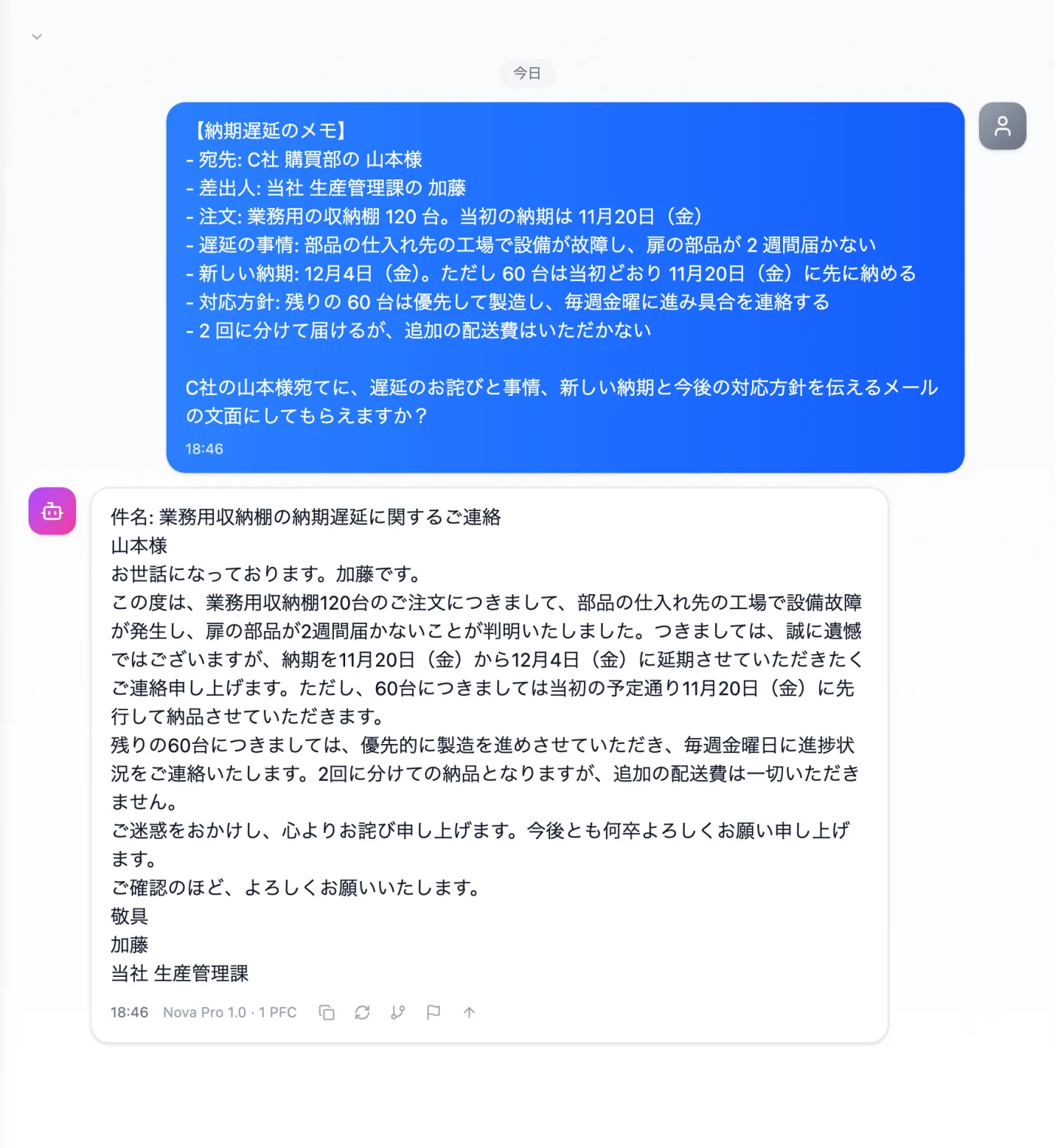
Actual screen (using the "Email text" output style) (an example of use)View larger image
Just 3 steps
Write your notes
To whom, what, by when, and how. Bullet points are enough.
Choose a style
Choose "Email text" from "Presets" in the input field.
Check and send
Check the recipient, dates, and figures, and polish the wording.
Steps to finish an apology email for a delivery delay
- Write the recipient's company, department, and name, and the sender's department and name.
- Write the order details (item, quantity, original delivery date). In this example: "120 storage shelves, November 20."
- Briefly state the reason for the delay, facts only.
- Write the new delivery date and, if part of the order can be delivered first, its quantity and date.
- Write the next steps (how often you'll report progress, how shipping costs are handled, etc.), choose "Email text" from "Presets" in the input field, and send.
Items to include in your notes
- Who you're apologizing to and your history with them (a new client, or a long-standing one)
- How many days late, and the new delivery date (including the day of the week)
- Any requests the client has already made, and the history of your exchanges
- How much about the cause of the delay you can share with the client
- The client contact's department and title
- The delivery date you previously communicated, and when you told them
When you need to send an apology email quickly
- When a supplier has notified you of a delay and you want to inform your client today
- When you're not confident writing apologies and want polite, appropriate wording
- When the reasons for the delay are complicated and you can't decide what to write first
- When you need to tell several clients about the same delay
- When you have a long relationship with the client and want wording that reflects it
How to ask for an email that gets through to the client
- Specify the order in your request: the apology first, then the circumstances and the new delivery date. Readers then see what they most want to know first.
- Your internal phrasing is fine as is. You can ask it to rewrite in polite language suited to clients.
- Add the reader, such as "for the purchasing contact" or "for customers," to get a matching tone.
- Write the department name and contact details for the signature in your request.
Questions about delay notification emails
- Even for awkward news, are bullet-point notes enough?
- Yes. You don't need to write full sentences — as long as the items are listed, it can turn them into an email from subject line to signature.
- What if I want to change the length or politeness of the email?
- You can follow up with "a little shorter" or "more polite." Keep the same notes and just ask for different wording.
- How should I ask for the subject line?
- Ask for words that make clear what the message is about. A subject like "Apology for delivery delay" conveys both the matter and the apology.
Other uses work the same way
If you are unsure about the wording, you can also have another AI write it and compare.
Your next apology starts from 5 lines of notes.
Try it in Prompt Flow Studio