General / Scheduling email
Meeting dates:
turn your notes into a draft email
that asks politely.
Just write the purpose, candidate dates and times, and duration as bullet points. You get a scheduling email asking about availability, complete with a subject line.
Try it in Prompt Flow StudioNotes provided
[Scheduling notes]
- To: Kobayashi, Information Systems Department, Company D
- From: Nakamura, Implementation Support Team, our company
- Purpose: A kickoff to decide how to proceed and who does what for the internal portal renewal starting next February
- Duration: 90 minutes. Either online or in Company D's meeting room is fine
- Candidate dates and times: Mon, Nov 16, from 14:00 / Wed, Nov 18, from 10:00 / Thu, Nov 19, from 15:00
- Participants: 3 from our company. From Company D, in addition to Kobayashi, we'd like 2 to 3 people in charge from each department to attend
- It would help to hear about availability by Wed, Nov 11
Could you write an email to Kobayashi at Company D that conveys the purpose, candidate dates and times, and duration of the meeting, and asks about availability?
Email returned
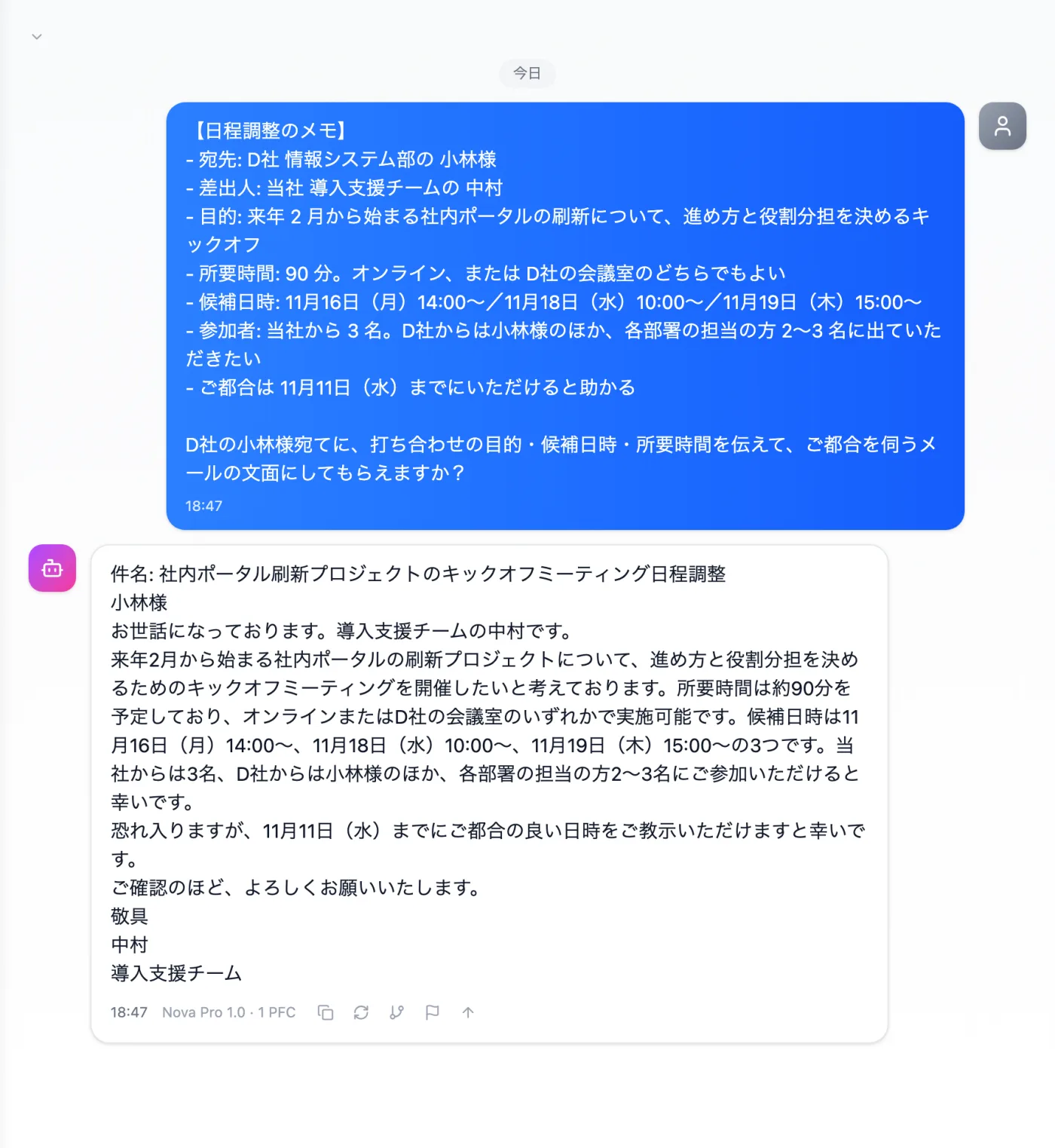
Actual screen (using the "Email text" output style) (an example of use)View larger image
Just 3 steps
Write notes
Write the recipient, purpose, candidate dates and times, duration, and reply deadline.
Choose a style
Choose "Email text" from "Presets" in the input field.
Check and send
Check how the company is referred to, the times, and the order of the candidate dates.
Other uses work the same way
If you are unsure about the wording, you can also have another AI write it and compare.
Start your next scheduling from your notes.
Try it in Prompt Flow Studio