Admin & internal / Paper notice
A paper notice:
I just want the date and what to bring,
right away.
Just attach an image of the notice and write the items you want to know. You get the date, place, and what to bring, plus the plan for rainy days and the submission deadline.
Try it in Prompt Flow StudioAttached image
A disaster drill notice arrived from the neighborhood association (it's a fictional notice). The attachment is an image of that paper.
Please tell me the date and time, place, and what to bring. If there's anything for rainy weather, or anything that needs to be submitted, please include that too.
Summary returned
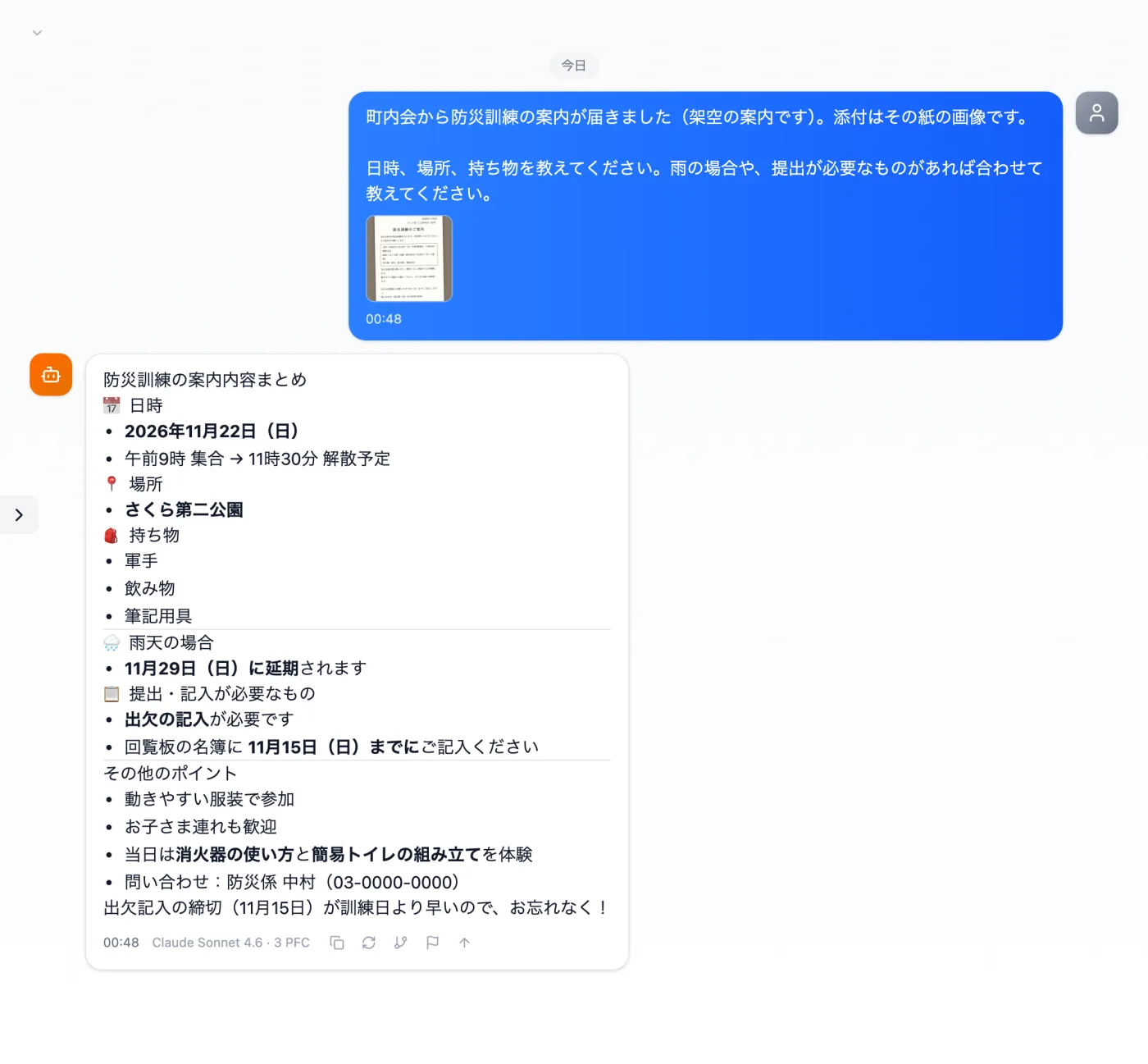
Actual screen (consulting with an attached image, Claude Sonnet 4.6) (an example of use)View larger image
Just 3 steps
Attach the image
Attach the image with the clip in the input field.
Write what you want to ask
Write the items you want to know, such as the date and what to bring.
Compare with the image
Check the text and numbers it read against the original image.
Other uses work the same way
If you are unsure about the wording, you can also have another AI write it and compare.
For the next notice, just take a photo and ask.
Try it in Prompt Flow Studio