IT & development / Organizing bug reports
Bug reports,
organized as JSON
that developers can work with.
Just paste the reports as they came in, specify the fields, and ask for JSON. You get data with summary, details, screen, and priority.
Try it in Prompt Flow StudioBug reports provided
[Bug reports received from inside the company (November)]
- Sato, Sales (November 24): "On the quote screen, if I enter 20 or more line items, I can't press the save button. I split it into 2 every time"
- Tanaka, Accounting (November 25): "When I sort the invoice list by amount, the total field goes blank. I use it for month-end checks, so it's a problem"
- Takahashi, General Affairs (November 26): "A few times a day, nothing happens when I press the approve button on my phone"
- Nakamura, Sales (November 27): "If I include '(Inc.)' in a client's name, it doesn't show up in search"
- Kato, HR (November 30): "The dates on the notices after login are shown one day off"
The development team will use this later to decide the order of fixes, so could you organize it as JSON with summary, details, affected screen, and priority fields?
JSON returned
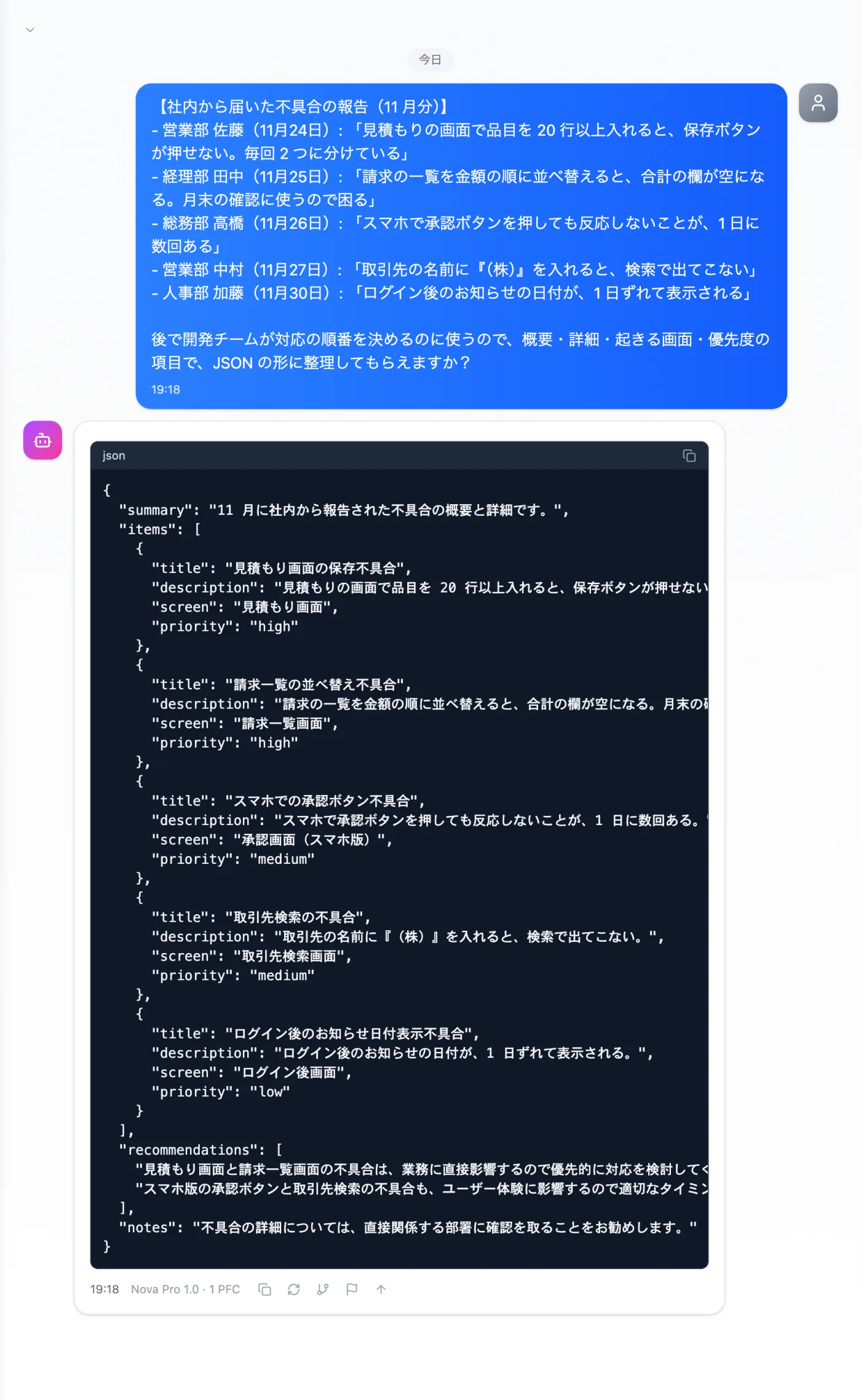
Actual screen (using the "JSON structured output" output style) (an example of use)View larger image
Just 3 steps
Paste the reports
Paste them in the reporters' own words and add the field names you want.
Choose a style
Choose "JSON structured output" from "Presets" in the input field.
Cross-check the fields
Check the screen names and priorities, and add any missing fields.
Other uses work the same way
If you are unsure about the wording, you can also have another AI write it and compare.
Organize your next bug reports in JSON.
Try it in Prompt Flow Studio