IT & Development / JSON for screen display
I want AI answers
shown in separate fields
on screen.
Just paste the question and confirmed answers, specify the items, and ask for JSON. You get back data split by screen field.
Try it in Prompt Flow StudioQuestion and answers provided
[Question from an employee and HR's answers]
- Question (Yamamoto, Sales): "I heard the remote work allowance changes from January. What do I need to do?"
- Answer 1: "From January 2027, the remote work allowance changes from ¥200 per day to a flat ¥3,000 per month."
- Answer 2: "It applies to employees who work remotely 8 or more days in a month. It is not paid for months with fewer than 8 days."
- Answer 3: "No application is needed; it is calculated automatically from the attendance system records. Please check each month that you have selected 'Remote' on your remote days."
- Answer 4: "The January allowance will be paid with the February salary."
- Answer 5: "The communication cost subsidy (¥1,000 per month) will continue to be paid as before."
I'm prototyping an internal portal screen that shows the answers field by field. I'll use this later to load into the prototype screen, so could you organize it into JSON with summary, detail items, recommendations and notes?
JSON returned
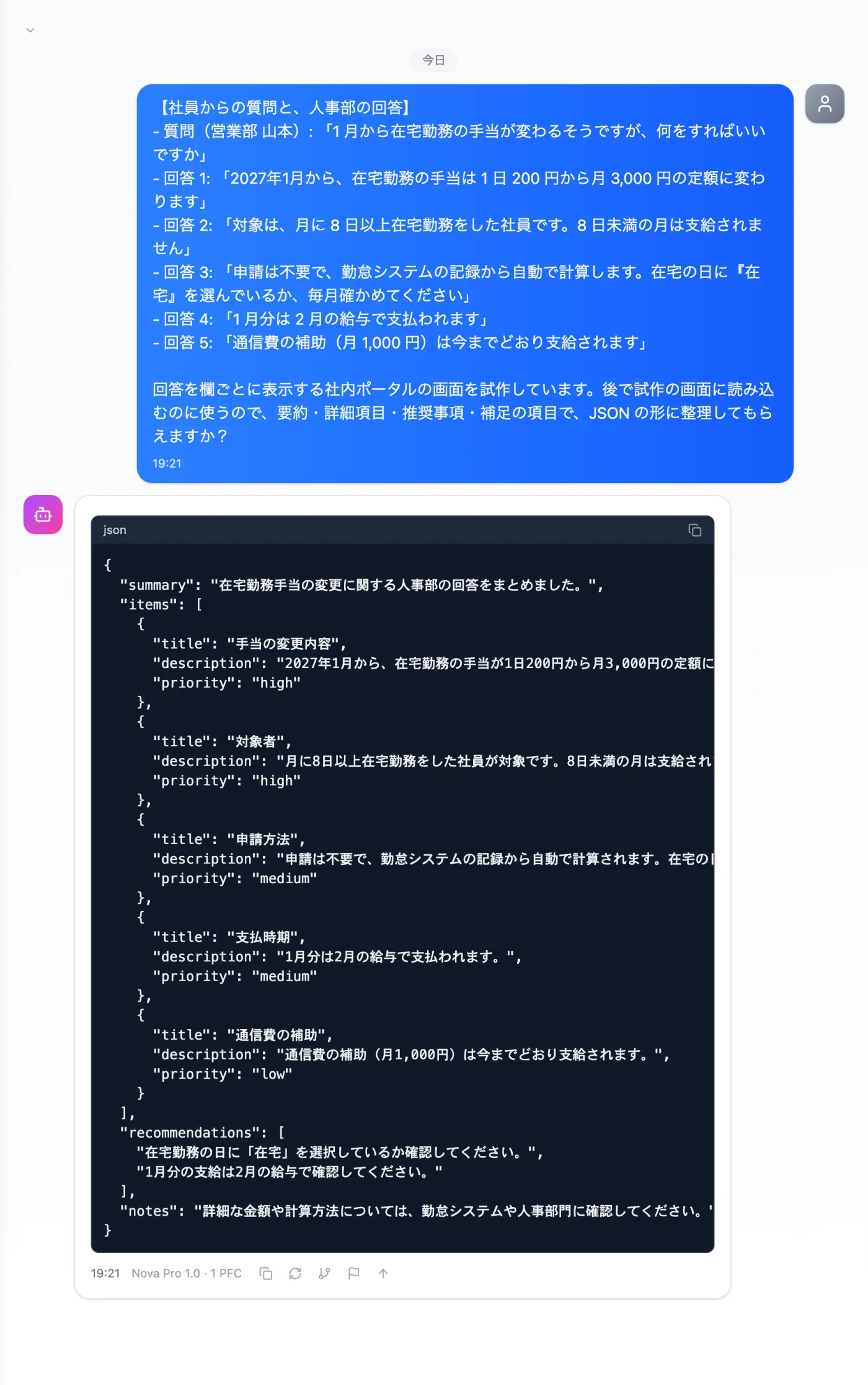
Actual screen (using the "JSON structured output" output style) (an example of use)View larger image
Just 3 steps
Paste the material
Add the question, the confirmed answers and the item names you want.
Choose a style
From "Presets" in the input box, choose "JSON structured output".
Check content and types
Before loading, check amounts, conditions, and each item's content and type.
Other uses work the same way
If you are unsure about the wording, you can also have another AI write it and compare.
Your next prototype starts from JSON.
Try it in Prompt Flow Studio