Customer support / Reply templates
Register your inquiry reply
template once, and the AI
follows it every time.
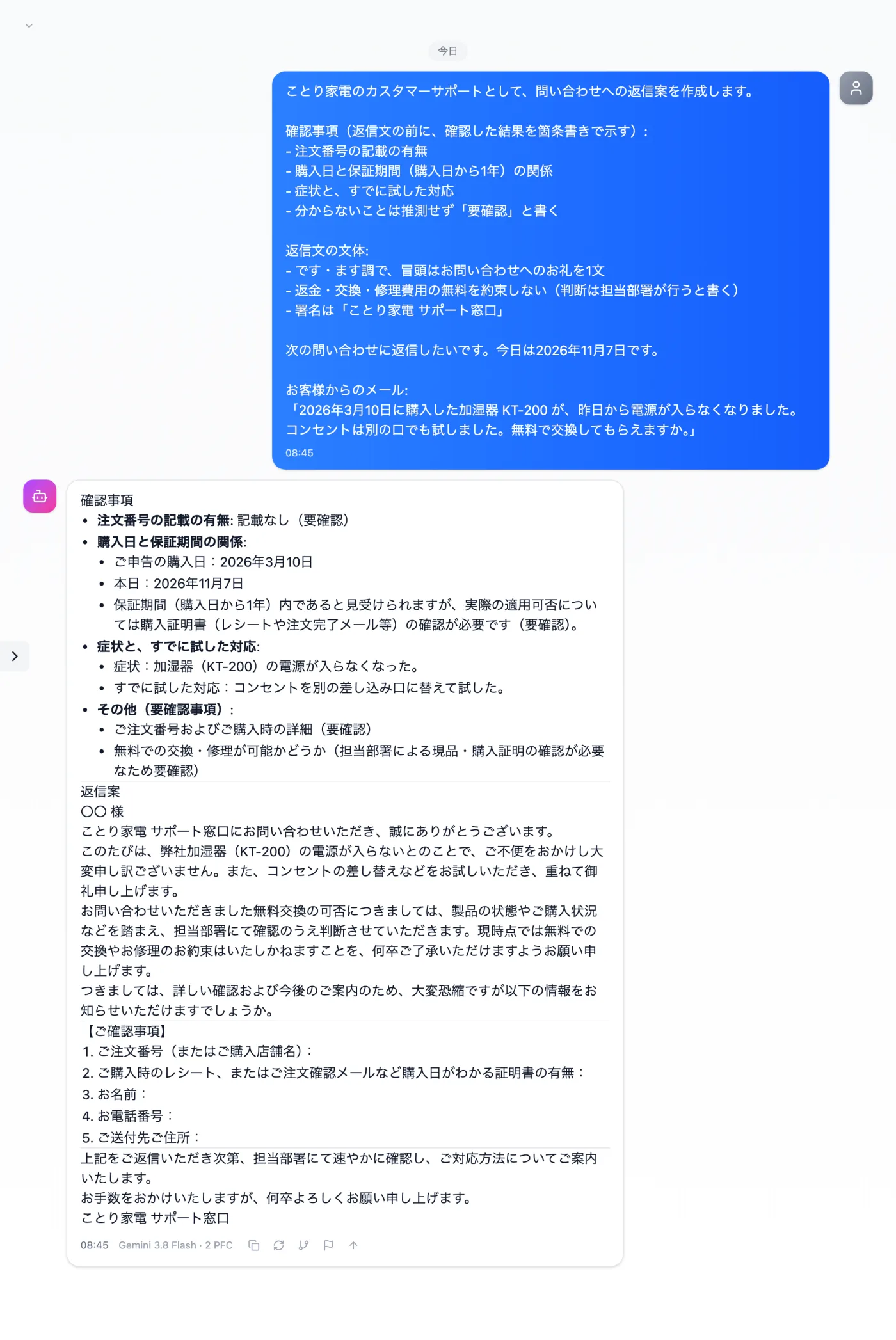
Just register the points to check and the reply style in a template once. After that, add the customer's email and send, and a reply that follows the template comes back.
Try it in Prompt Flow StudioTemplate applied
[Registered template: For screenshots: Inquiry reply (Kotori Electronics) (body in fixtures/02-template.txt)]
[Request sent]
I'd like to reply to the following inquiry. Today is November 7, 2026.
Email from the customer:
"The KT-200 humidifier I bought on March 10, 2026 stopped turning on yesterday. I've also tried a different outlet. Can you replace it free of charge?"
Just 3 steps
Register the rules
Register the points to check and the style in Template Management.
Choose from presets
Apply your own template from the input presets.
Add this time's material
Add the customer's email and today's date at the end and send.
Other uses work the same way
If you are unsure about the wording, you can also have another AI write it and compare.
Turn the checks you always do into a template.
Try it in Prompt Flow Studio