Planning & management / Plan review
Turn your review points
into a checklist
and let AI check.
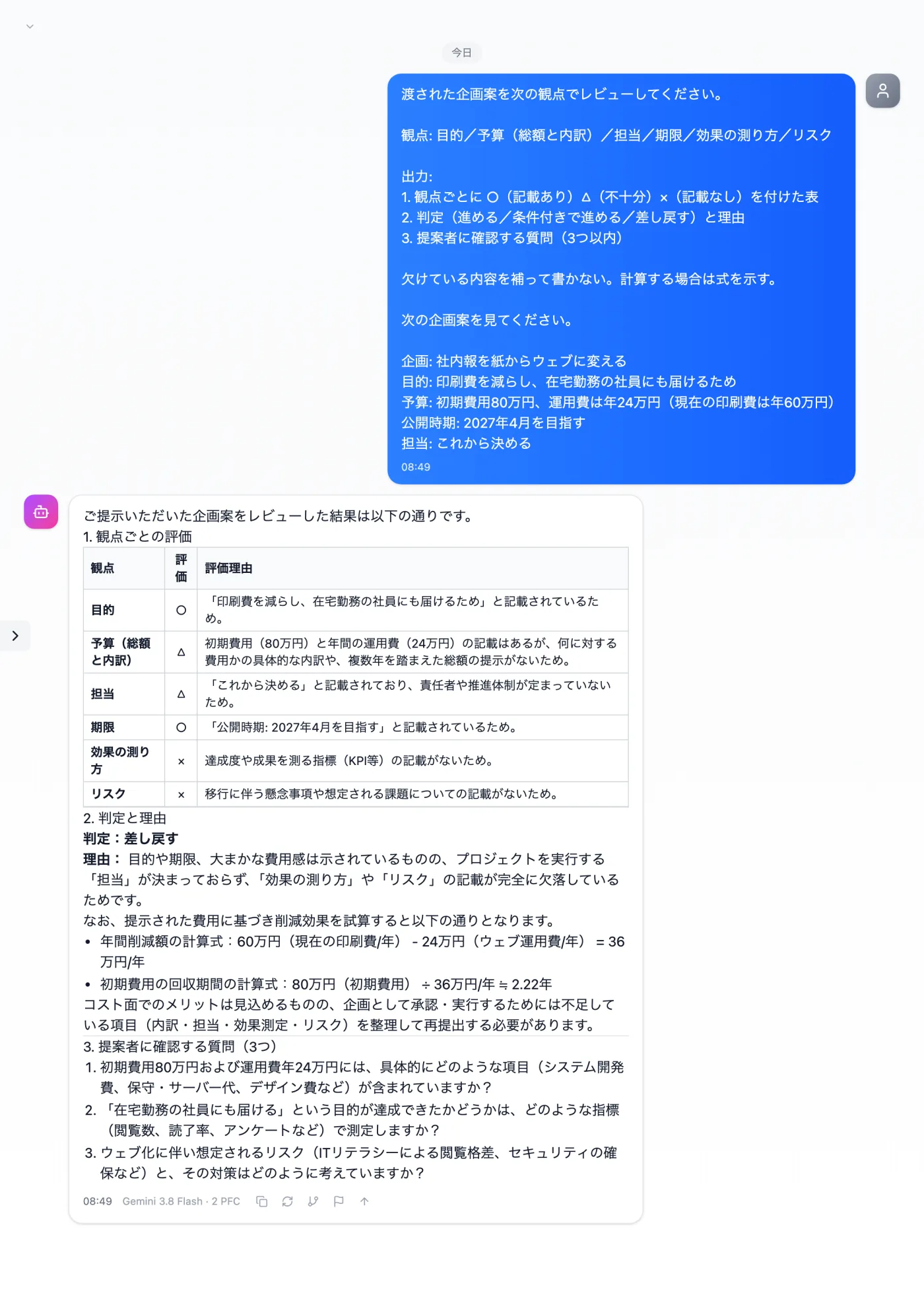
Just register your review points and verdict format as a template once. Add a plan and send, and you get a table by review point, a draft verdict and questions to confirm.
Try it in Prompt Flow StudioTemplate applied
[Registered template: For screenshots: plan review points (body in fixtures/07-template.txt)]
[Request sent]
Please review the following plan.
Plan: Move the company newsletter from paper to the web
Purpose: To reduce printing costs and reach employees working from home
Budget: Initial cost of 800,000 yen, running cost of 240,000 yen per year (current printing cost is 600,000 yen per year)
Launch: Aiming for April 2027
Owner: To be decided
Just 3 steps
Register the rules
In Template management, register the review points and verdict format.
Choose from presets
Apply your template from the input presets.
Add this time's material
Add the plan you want reviewed at the end and send.
Other uses work the same way
If you are unsure about the wording, you can also have another AI write it and compare.
Keep your review points as a template.
Try it in Prompt Flow Studio