General / Translation glossary
Translations vary every time?
Register a glossary
and keep AI translations consistent.
Just register your product names, a term list, and the level of politeness in a template once. Add the text you want translated and send it, and you get a translation that uses your registered terms.
Try it in Prompt Flow StudioTemplate applied
[Registered template: For screenshots: Translation rules (TsumiCart) (body in fixtures/06-template.txt)]
[Request sent]
次の案内を英語にしてください。
取引先の皆様へ
ツミカートの発注画面を2026年12月1日(火)に更新します。更新後は、発注を確定する前に納期を画面で確認できます。検品の手順は変わりません。
(English translation of the request: Please translate the following notice into English. [the notice text, in Japanese])
English translation returned
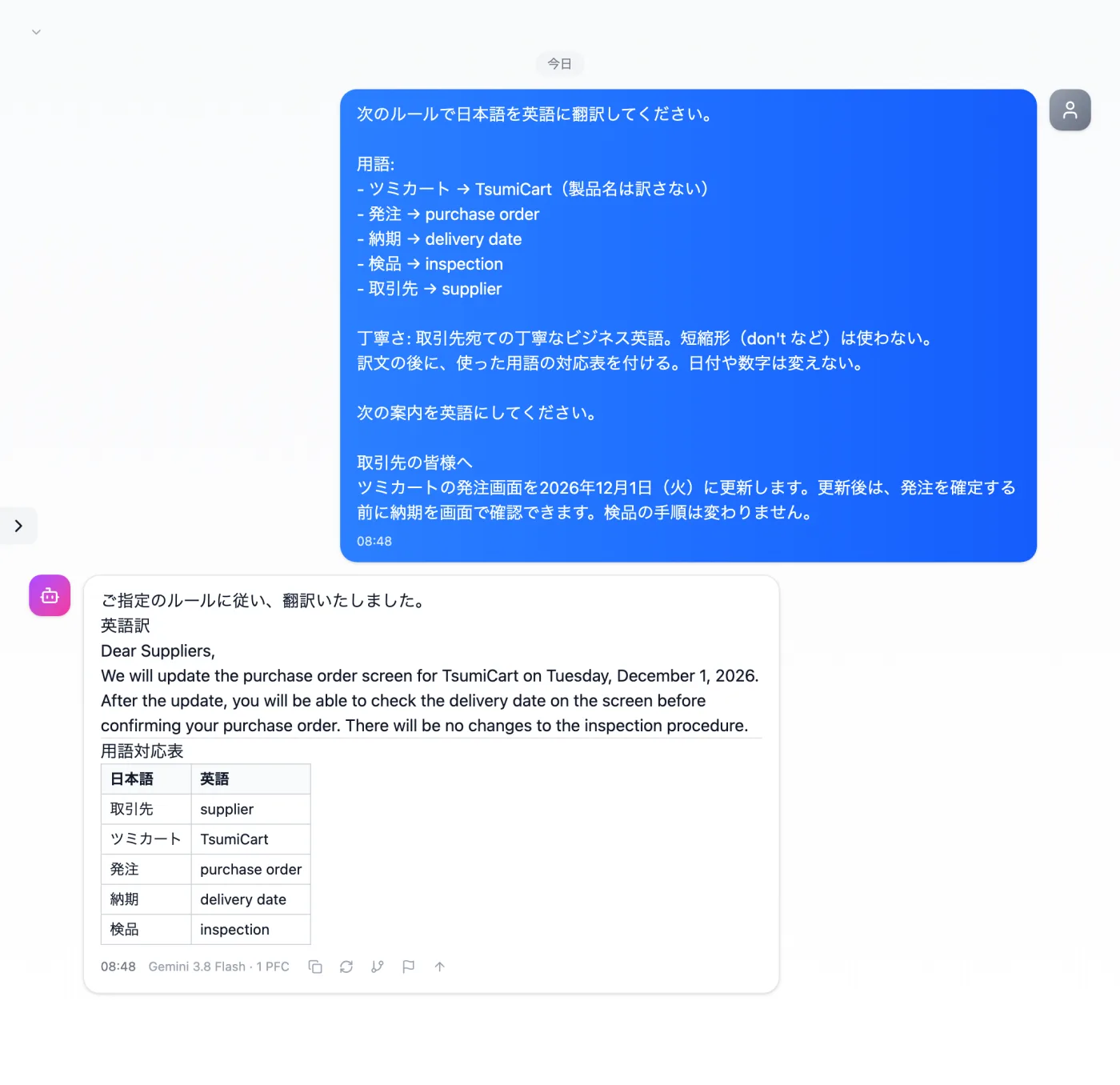
Actual screen (using a custom template) (an example of use)View larger image
Just 3 steps
Register the rules
In Template management, register product names and a term list.
Pick from presets
Apply your own template from the input presets.
Add this time's material
Add the Japanese text you want translated at the end and send it.
How to use a translation glossary as a template
- Write down the terms your company wants to keep consistent. Candidates include product names, frequent technical terms, and set phrases.
- List the Japanese terms and the English translations you want used, as a term list. This example uses a 5-term list.
- Also add rules for the politeness of the translation and how to write dates and numbers.
- In Template management, register all of these as translation rules in a single template.
- When you want a translation, apply that template from the input presets, add the Japanese text you want translated, and send it.
What to include in the glossary
- Your company's product and service names (the English spelling and capitalization rules)
- Terms used only inside the company, and their English equivalents
- Honorifics and phrasing for addressing business partners
- Full names of abbreviations and acronyms, and their English equivalents
- How to say department names and job titles in English
How to write it when you want consistent translations
- You don't need many terms from the start. Add them one at a time, starting with the terms whose wording varies.
- For a Japanese term that has more than one possible translation, add a short note on which one to use in which context.
- State who will read the translation (a partner's contact person, general customers, etc.) and ask for a consistent level of politeness.
- For parts you don't want translated, such as model numbers and URLs, write "leave as is" in the rules.
- If someone in the company reads the translated text, have them review the term list as well; they may spot gaps in it.
- For terms the company refers to in different ways, first decide which one to use, then add it to the term list.
When consistent terms matter
- When you want product names written the same way every time in notices and announcements sent to overseas partners
- When you want the same words translated the same way even after the person in charge changes
- When you want the company's set phrases written the same way in English too
- When you repeatedly translate similar documents, such as monthly notices
How to grow the template over time
- When uses differ, such as translating emails versus translating manuals, keep separate templates.
- Before using it for a monthly notice, update the product names and date formats to the latest ones.
- Give each template a name that shows what it contains, such as "Email translation" or "Manual translation."
Questions about registering a glossary
- Do I need to paste the term list again every time I translate?
- No. Apply the registered template, add the text you want translated, and send it.
- Can I do the same for languages other than English?
- Change the language of the term list and register it as a separate template. Keeping one template per language makes it easier to switch between them.
Other uses work the same way
If you are unsure about the wording, you can also have another AI write it and compare.
Register terms once, and keep them consistent.
Try it in Prompt Flow Studio