Meetings & minutes / Minutes format
Stop writing the minutes prompt
every time.
Register it once and reuse it.
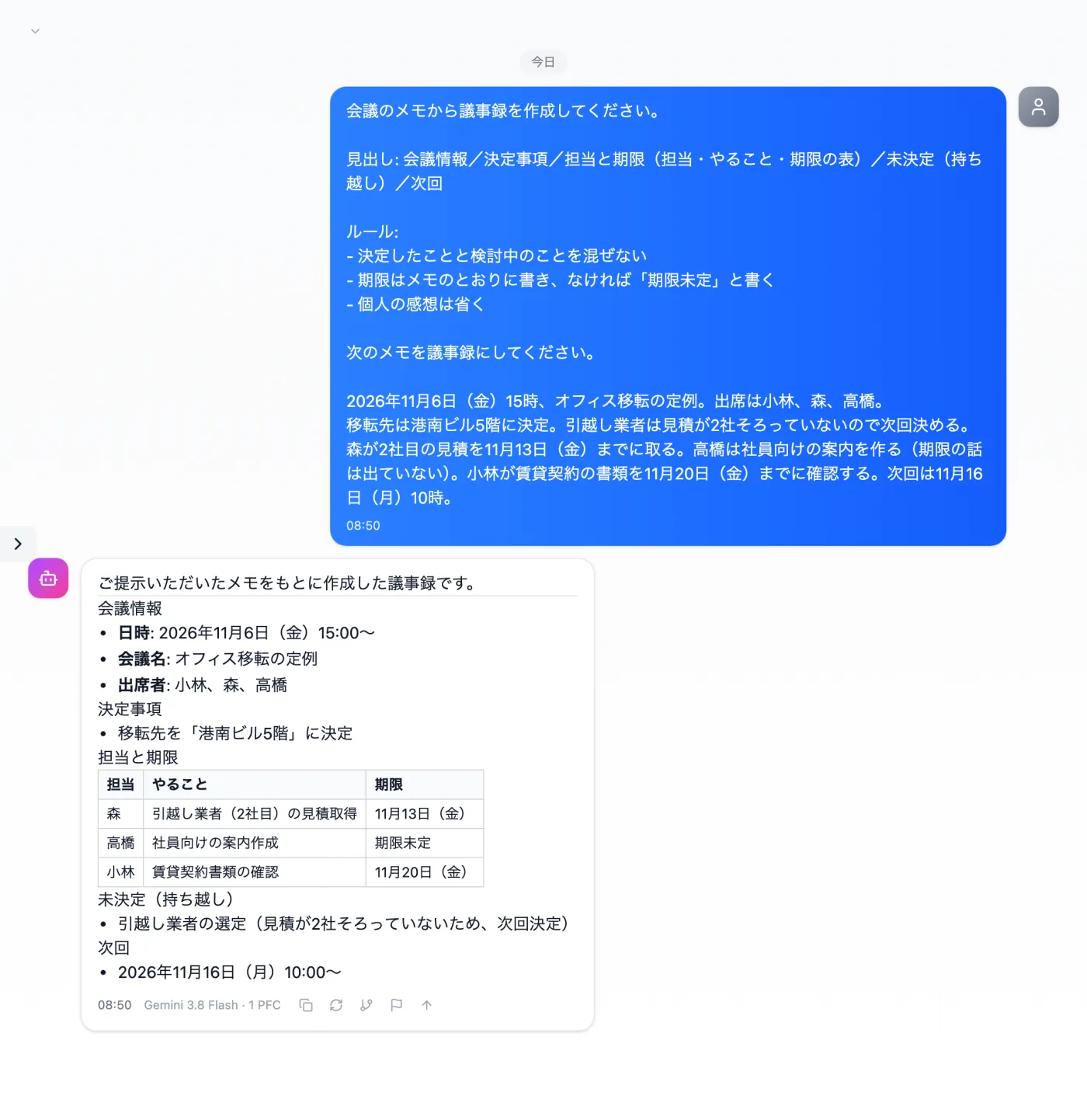
Just register how to write minutes in a template once. Add that day's meeting notes and send them, and you get minutes that separate decided and undecided items, owners, and deadlines.
Try it in Prompt Flow StudioTemplate applied
[Registered template: For screenshots: How to write minutes (body in fixtures/08-template.txt)]
[Request sent]
Please turn the following notes into minutes.
Friday, November 6, 2026, 3 p.m., regular meeting on the office move. Attendees: Kobayashi, Mori, Takahashi.
The new office was decided: 5th floor of the Konan Building. The moving company will be decided next time, since we don't have 2 quotes yet. Mori will get the second quote by Friday, November 13. Takahashi will prepare the notice for employees (no deadline was discussed). Kobayashi will review the lease documents by Friday, November 20. Next meeting: Monday, November 16, 10 a.m.
Just 3 steps
Register the rules
In Template management, register how to write minutes.
Pick from presets
Apply your own template from the input presets.
Add this time's material
Add that day's meeting notes at the end and send them.
Other uses work the same way
If you are unsure about the wording, you can also have another AI write it and compare.
Ask for minutes the way you want, just once.
Try it in Prompt Flow Studio