General affairs / Notice templates
Register requests your team
uses often, with variables,
and reuse them again and again.
Just register a notice template with variables once. Fill in the variables and this time's material and send, and wording in the same format comes back even when the type of notice changes.
Try it in Prompt Flow StudioTemplate applied
[Registered template: For screenshots: General Affairs common request (personal scope) (body in fixtures/10-template.txt)]
[Value set in the variable] Request type = Health checkup notice
[Request sent]
What kind of wording would work for the FY2026 health checkup?
It will be held in the head office meeting room on Tuesday, December 8 and Wednesday, December 9, 2026. All employees are eligible. Employees should tell Mori in General Affairs their preferred date by Friday, November 20.
[Second time (selecting the same template again in a new chat)]
[Value set in the variable] Request type = Equipment inventory request
[Request sent]
What kind of wording would work for the equipment inventory in each department?
It's for the equipment managers in each department. They check the counts on the list and send it back to General Affairs by Tuesday, December 15, 2026.
The second notice
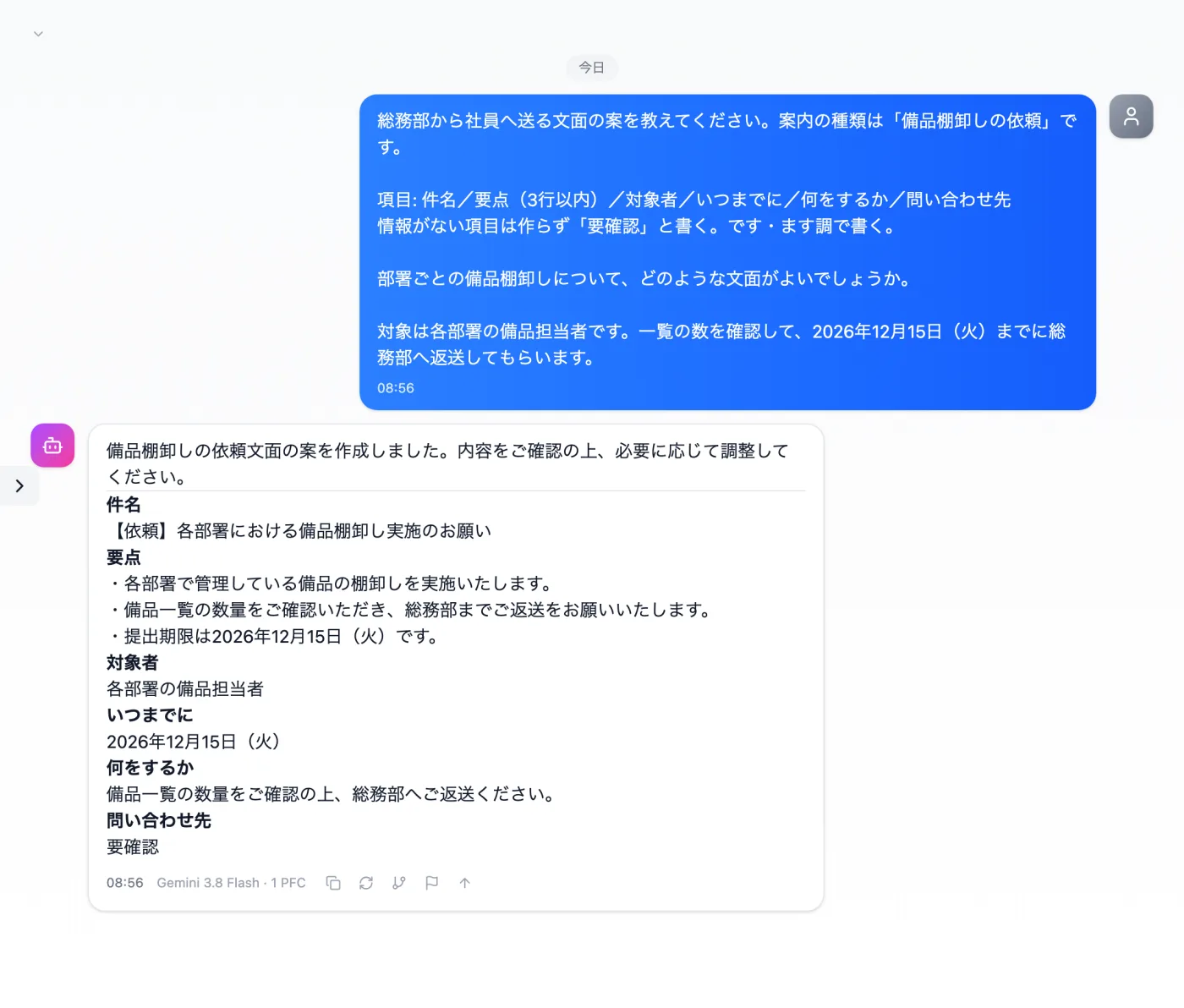
Actual screen (using a custom template, second time) (an example of use)View larger image
Just 3 steps
Register the rules
Register a notice template with variables in Template Management.
Choose from presets
Apply your own template from the input presets.
Add this time's material
Fill in the variables, add this time's dates and audience, and send.
Other uses work the same way
If you are unsure about the wording, you can also have another AI write it and compare.
The same template, as many times as you like, with different variables.
Try it in Prompt Flow Studio