Event Management / Background video
A trade show background video:
prototype the motion
with AI.
Just write the background color, shapes, how they move, and what to leave out. You get back a prototype clip of about 5 seconds for checking the direction of the motion.
Try it in Prompt Flow StudioRequest sent
Please generate a video. This is a prototype clip to play as the background of an exhibition booth for a fictional machine parts manufacturer. Make it an abstract video on a dark navy background, with gear-shaped line drawings slowly rotating and thin lines of light flowing from left to right. Do not include people, text or logos.
Generated footage
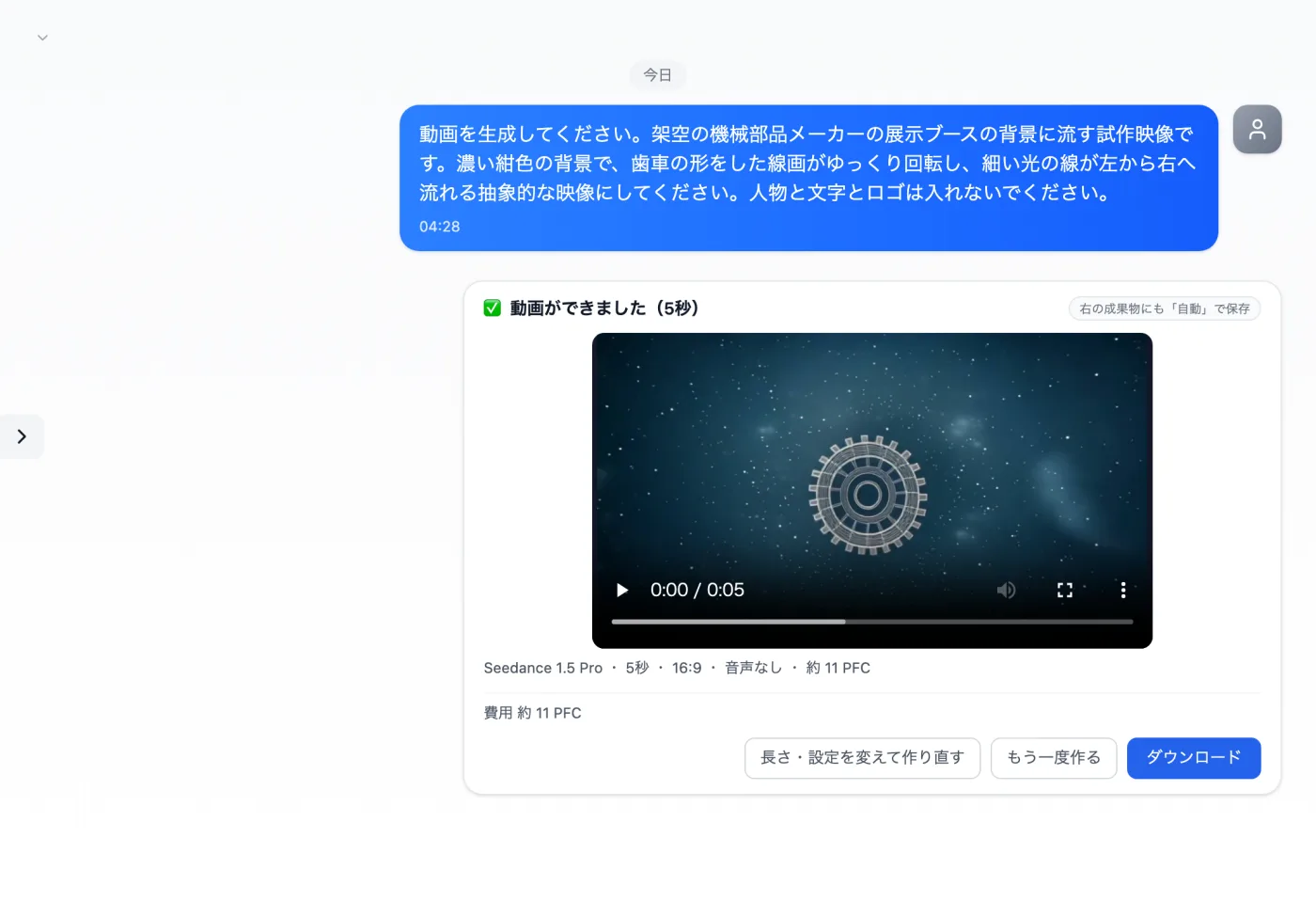
Actual screen (using the video model Seedance 1.5 Pro) (an example of use)View larger image
Just 3 steps
Describe the scene and motion
Write the background color, shapes and how they move.
Check the creation card
In the video model, check the length, aspect ratio and audio.
Play it to the end
Check that the order of motion and the positions of objects match the request.
Other uses work the same way
If you are unsure about the wording, you can also have another AI write it and compare.
Decide the background motion with a prototype.
Try it in Prompt Flow Studio