Sales / Price list summary
Too many pricing conditions?
Items, amounts and conditions
in one price list.
Just paste the text of the pricing document and ask for a table. A price list comes back with columns for item, amount and conditions.
Try it in Prompt Flow StudioPricing document provided
From the pricing document below, please put the items, amounts and conditions into a table.
[Cloud accounting service pricing document (excerpt)]
- Initial cost: 50,000 yen (free with an annual contract)
- Monthly base fee: 2,000 yen per user (1,800 yen for 5 or more users)
- Additional data storage: 1,000 yen per month for every 10 GB (standard is up to 50 GB)
- Onboarding support: 30,000 yen per session (2 hours online. With an annual contract, the first session is free)
- Phone support: 5,000 yen per month (email support is included in the base fee)
- Cancellation: monthly plans can be canceled at any time. If an annual contract is canceled midway, 50% of the remaining period is charged
*All amounts exclude tax
Price list that came back
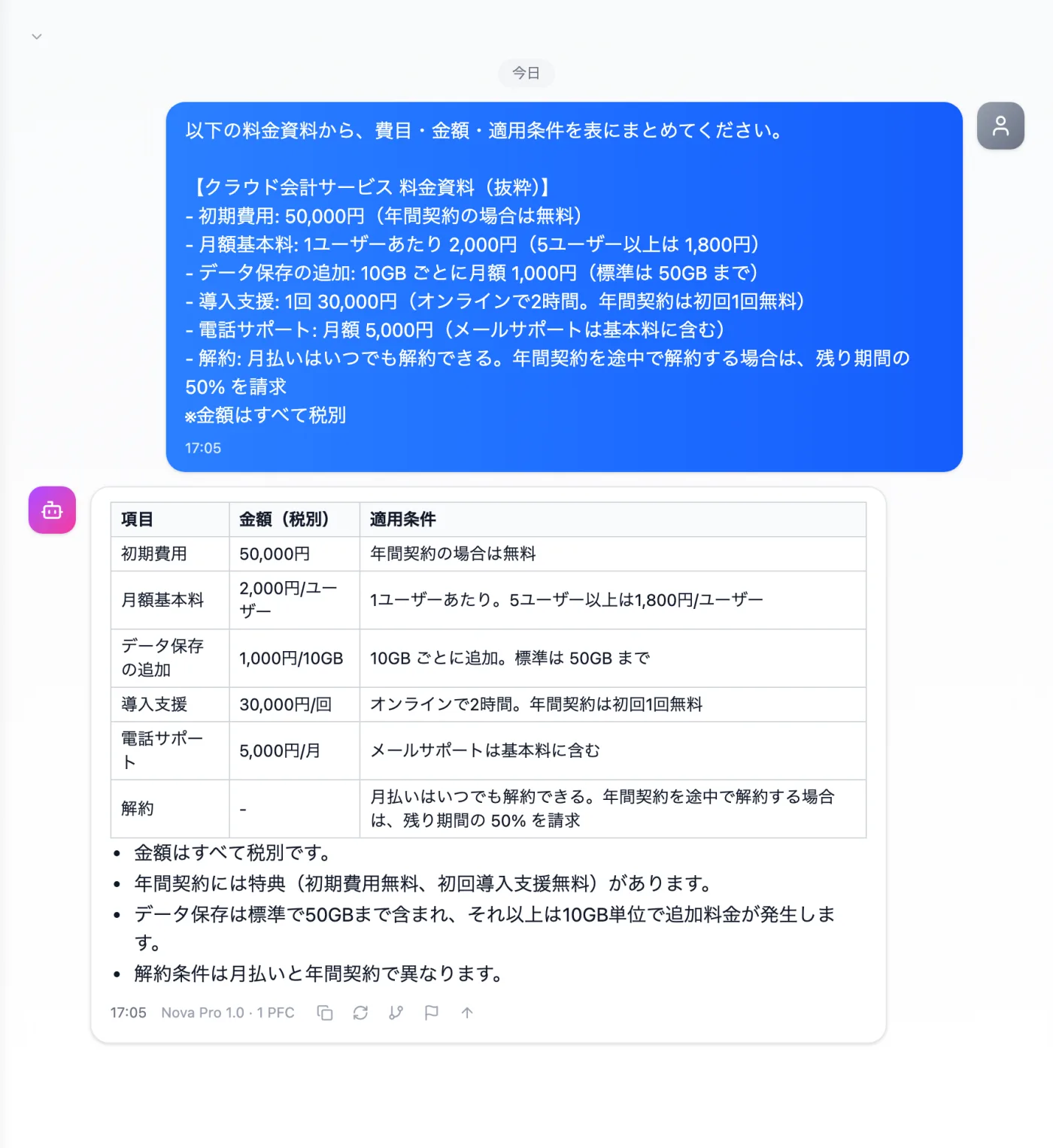
Actual screen (using the "Table format" output style) (an example of use)View larger image
Just 3 steps
Paste the document
Paste the items and amounts, including discount and cancellation terms.
Choose a style
Choose "Table format" from "Presets" in the input box.
Check the units
Check that conditions on amounts such as monthly, tax-exclusive and units are kept.
Other uses work the same way
If you are unsure about the wording, you can also have another AI write it and compare.
Start your next price comparison with a table.
Try it in Prompt Flow Studio