General Affairs / Internal notice of a rule change
Explain a travel expense change
to all employees, managers and accounting
separately.
Just enter the rules before and after the change and instructions for 3 steps, then run. From the old-vs-new comparison to the notice and checklist, it all comes back.
Try it in Prompt Flow StudioSteps and rules entered
[Step 1 | Extract old-vs-new differences]
From the following internal rule change (fictional), summarize the differences between before and after the change in a table.
[Travel expense rule change (fictional)]
Before: Travel expenses are claimed together at month-end on a paper expense form. The manager stamps it and sends it to accounting. The deadline for submission to accounting is the 5th of the following month.
After (from Dec 1): Travel expenses are claimed in the expense system. Claim within 2 weeks of the date of use. Managers approve in the system. The approval deadline is within 5 business days of the claim.
Common: Travel within a commuter pass section cannot be claimed. Taxis require the manager's prior approval.
Travel expenses incurred before Dec 1: paper expense forms are still accepted until Dec 10.
[Step 2 | Actions per audience]
Based on the table from the previous step, organize what "All employees", "Managers (approvers)" and "Accounting" each need to do and by when. Mark anything not written in the rules as "to be confirmed".
[Step 3 | Notice and checklist]
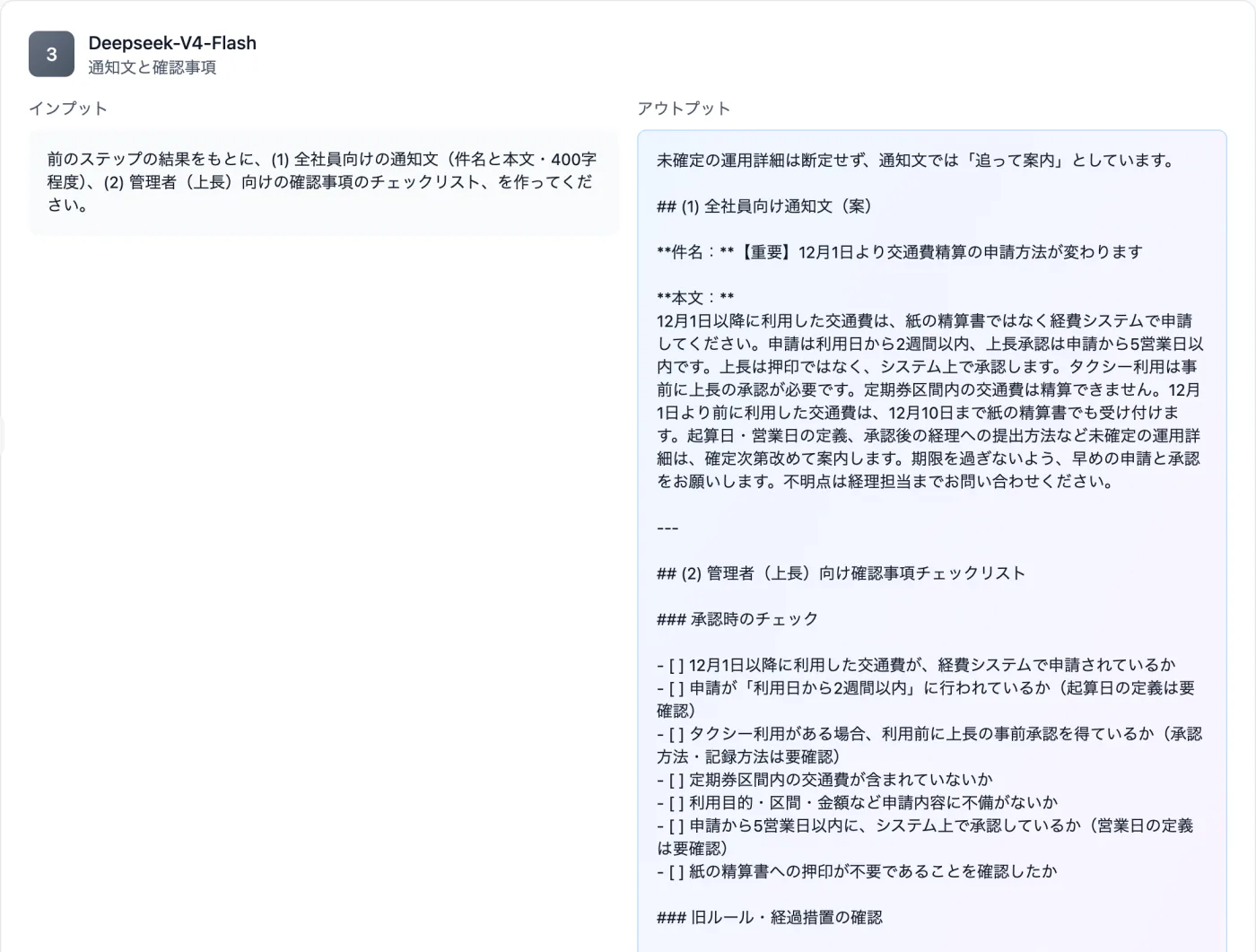
Based on the result of the previous step, create (1) a notice for all employees (subject and body, about 400 characters) and (2) a checklist of items for administrators (managers) to confirm.
[Model]
DeepSeek V4 Flash
Just 3 steps
Split into steps
Open Workflow and give each step a role name and instructions.
Add the material and run
Provide the rules before and after, plus transitional measures and deadlines.
Read the outputs
Check that deadlines are kept and that the text isn't cut off partway.
Other uses work the same way
If you are unsure about the wording, you can also have another AI write it and compare.
Explain your next rule change by audience.
Try it in Prompt Flow Studio