Admin & internal / Survey improvement ideas
From free-text survey answers
all the way to
improvement ideas with evidence.
Just enter the free-text answers and the instructions for 3 steps, then run it. From categorizing to improvement ideas, everything comes back with answer numbers.
Try it in Prompt Flow StudioSteps and answers entered
[Step 1 | Categorize free-text answers]
Categorize the following free-text answers (fictional, 12 answers) from a survey after a company event by content. Attach the matching answer numbers to each category.
[Free-text answers]
1. It was good to talk with people from other departments
2. The venue was far from the station
3. The group work time was short
4. The president's talk was concrete and easy to understand
5. Starting at 6 p.m. means I can't pick up my child in time
6. I learned what other departments do
7. There wasn't enough food
8. The groups were too big to talk easily
9. I'd like to attend again
10. I'd like the start time to be a bit earlier
11. The group work topic was abstract
12. The invitation email came at the last minute
[Step 2 | Sort good points and problems]
Based on the categories from the previous step, split them into "good points" and "problems," and list each in order of most answers. Keep the answer numbers.
[Step 3 | Draft improvement ideas]
Based on the results of the previous step, create 3 improvement ideas for the next company event. For each idea, include the supporting answer numbers and the wording of those answers. Write "to be confirmed" for anything the survey doesn't tell us (such as costs).
[Model]
DeepSeek V4 Flash
Final improvement ideas
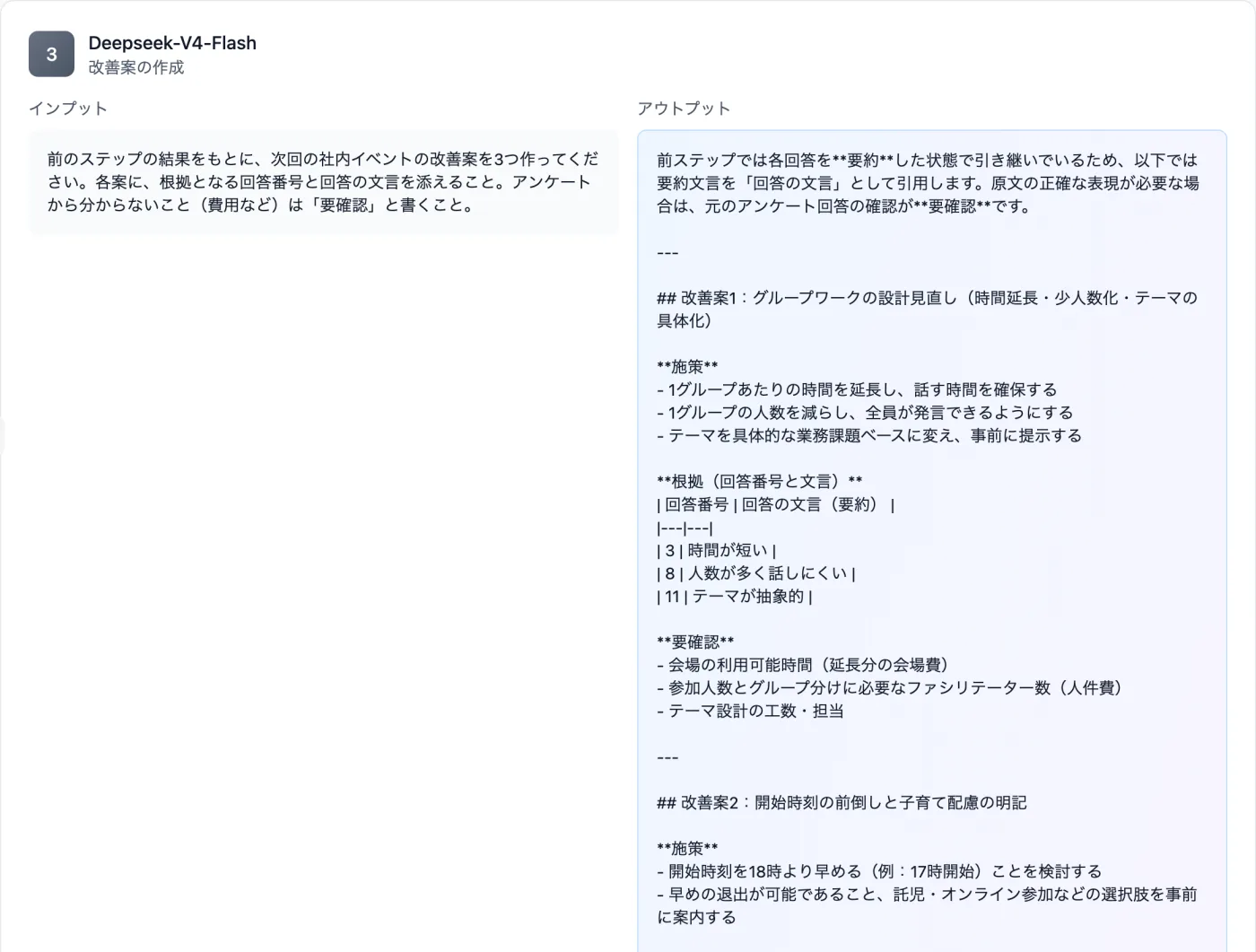
Actual screen (using the "Workflow" mode with 3 steps) (an example of use)View larger image
Just 3 steps
Split into steps
Open Workflow and enter a role name and instructions for each step.
Add the material and run
Pass in the free-text answers and ask it to keep the answer numbers.
Read the output
In each output field, check the supporting answer numbers and the items to be confirmed.
Other uses work the same way
If you are unsure about the wording, you can also have another AI write it and compare.
Take the next survey all the way to improvement ideas.
Try it in Prompt Flow Studio