
Send the same question to several models at once.
Set up model + persona combinations in parallel slots, and see PFC per slot plus the running total as answers come in. Whatever you like best carries straight into your next step.
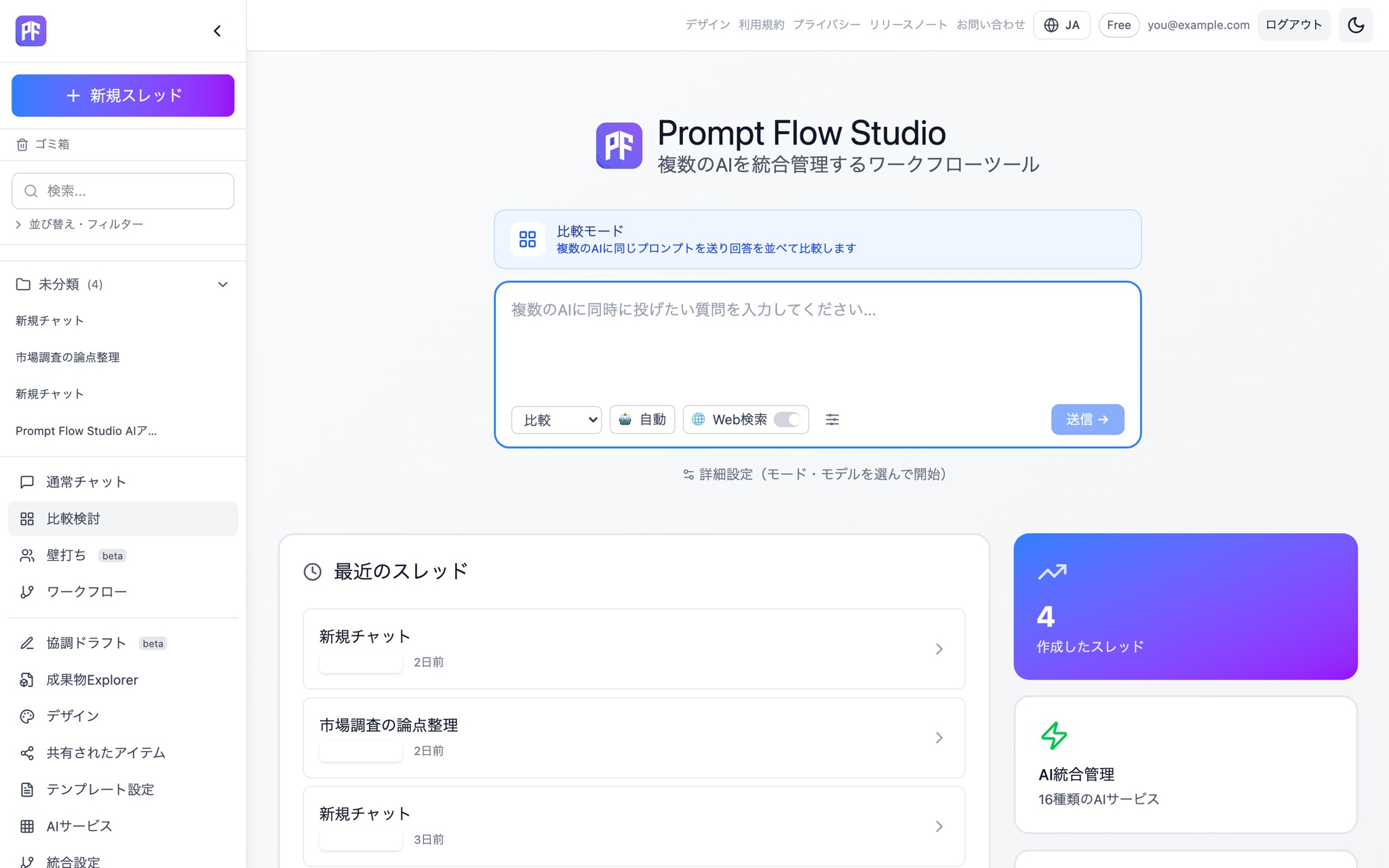
Comparison that doesn't stop at side by side
Parallel slot comparison
Configure multiple slots, each with its own model and persona, and send the same prompt to all of them at once.
Per-slot and total PFC
See exactly how much each slot cost while you compare, plus a running total.
Text and image comparison
Compare text generations, or switch tabs to compare image generations from the same prompt.
Pre-send skeleton cards
Each slot's card appears the instant you send, so you can see at a glance which models are still working.
Continue as Chat
Pick the model whose answer you liked and keep the conversation going as a regular Chat.
Hand off to Debate
Carry the comparison results into Debate as the topic and develop the discussion further.
Turn into a Workflow (Beta)
Reuse the prompt and candidate answers from a comparison directly as Workflow steps.
Save as an artifact
Save the comparison itself as an artifact file you can find later in Artifact Explorer.
Cross Review
Have the models review each other's answers to narrow down which candidate actually holds up.
How it works
Configure slots
Choose the model and persona combination for each slot you want to compare.
Send once
One prompt goes out to every slot at once, with per-slot PFC visible while you wait.
Compare
Read the answers side by side, and run a Cross Review if you want the models to evaluate each other.
Move forward
Continue as Chat, hand off to Debate, turn it into a Workflow (Beta), or save it as an artifact.
Compare mode is ready to try the moment you create a free account.
Start free