
Four core modes, away from your desk.
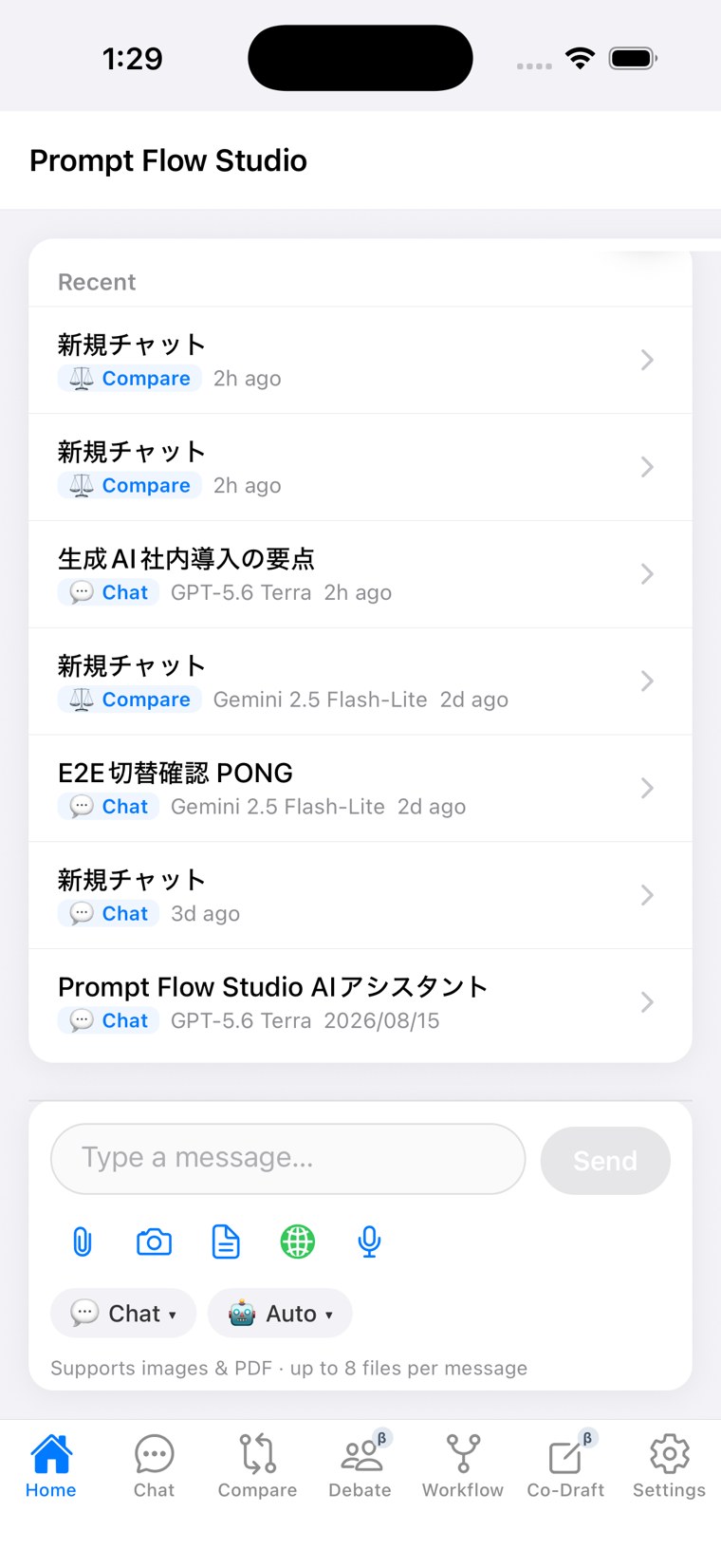
Our iOS app is available on TestFlight, with the core Chat, Compare, Debate, and Workflow (Beta) modes plus the PFC balance guard.
What's included
Pick up right where you left off on PC
Continue a conversation or project you started on PC, right from the iOS app. This sync behavior is verified on real devices.
Four core modes + Co-Draft
Chat, Compare, Debate, and Workflow (Beta) are all supported, plus a Co-Draft tab.
Image & PDF attachments
Attach up to 8 images or PDFs per message.
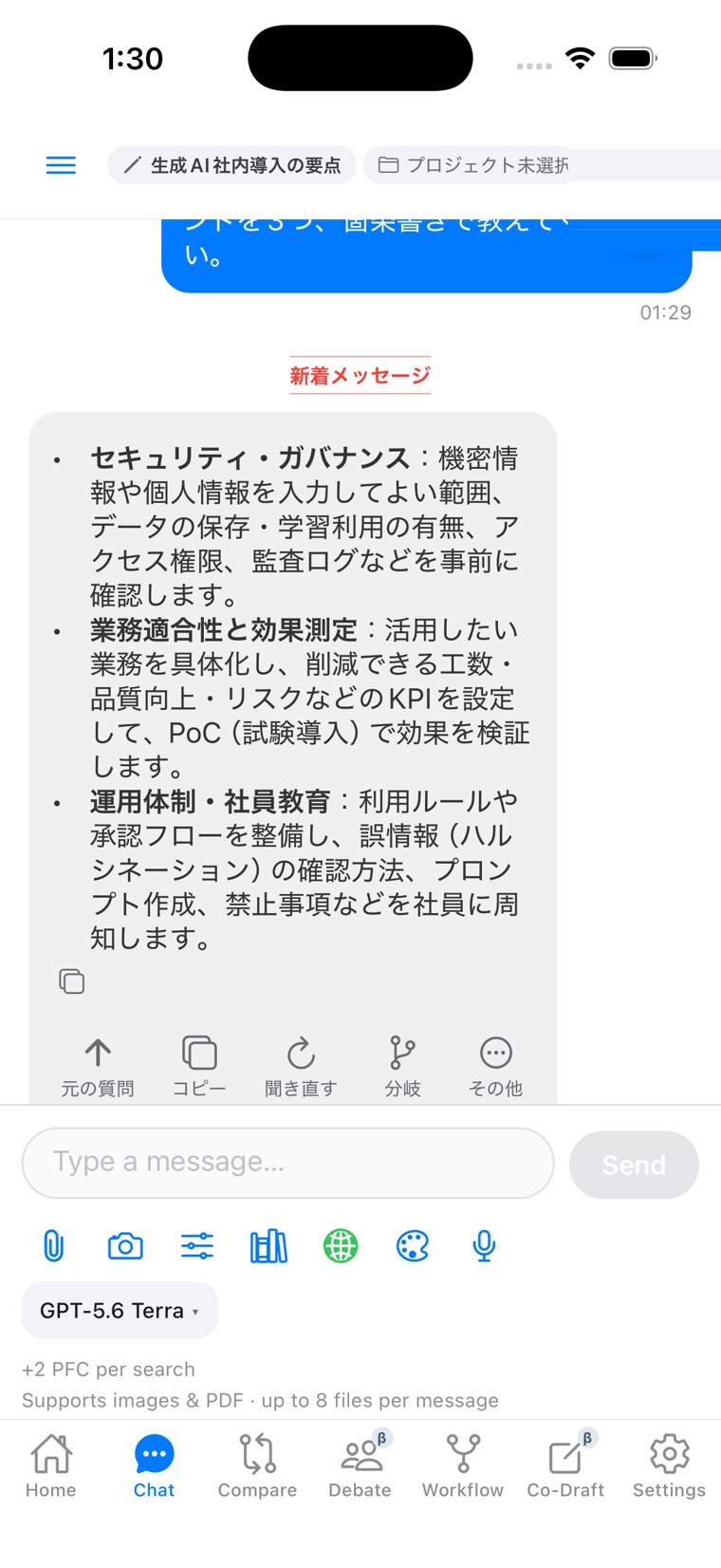
Web search
Turn search on and see the extra cost right away, like '+2 PFC.' Nothing is consumed quietly in the background.
Voice input
Speak into the microphone instead of typing.
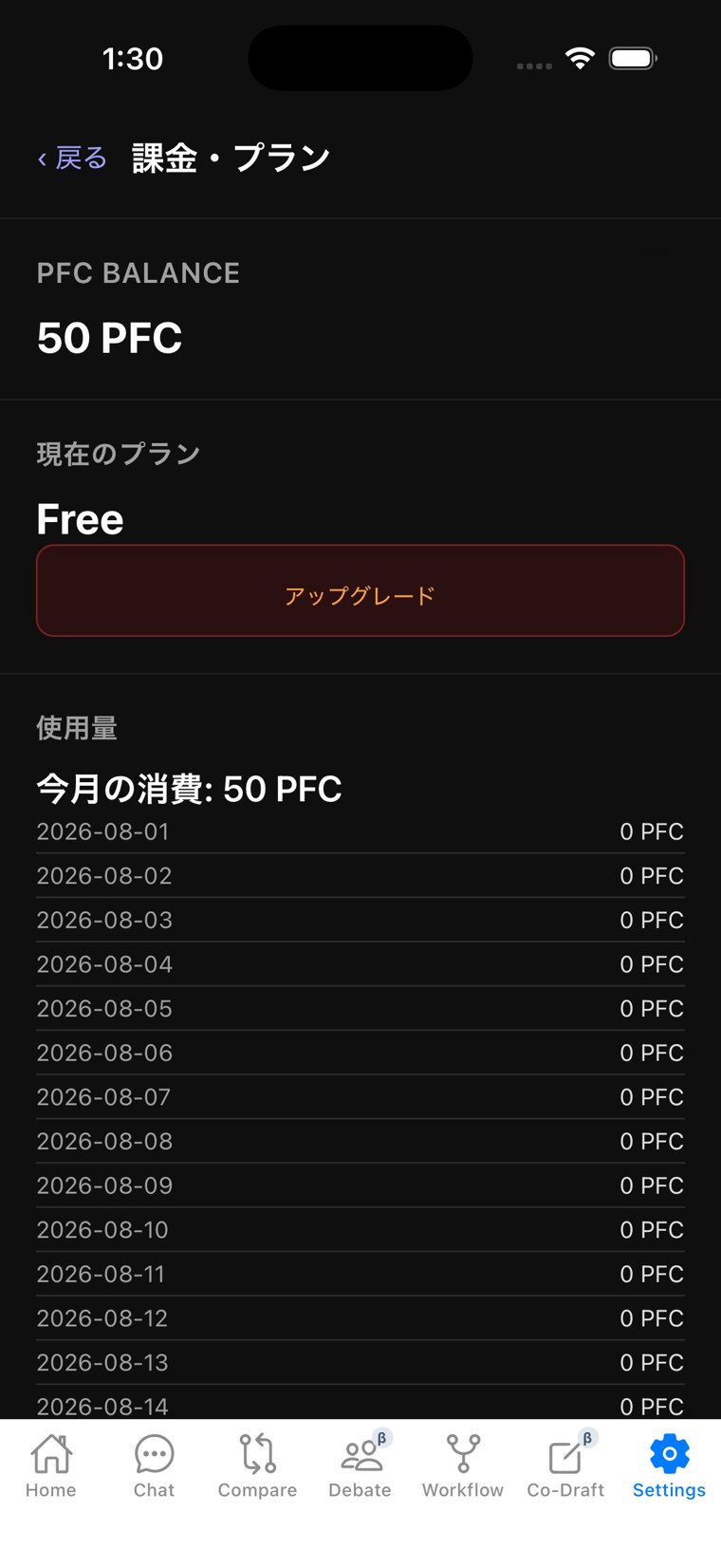
PFC balance guard
Execution stops before your balance runs out, preventing overuse.
When it helps
Capture an idea on the move
Dictate with voice input and start a Chat right where you are.
No surprise overuse away from your desk
The PFC balance guard works the same way it does on the web.
About distribution
The iOS app is currently distributed through TestFlight. Coverage will expand over time.
Work doesn't stop at your desk. Keep it going wherever you are.
Conversations you started on PC, and results from a Workflow run, are all there to check and continue from the iOS app.
Start with the free plan and try three modes — Chat, Compare, and Debate.
Start free