
Turn a fixed procedure into one automated run.
Chain up to 8 steps together — research, then summarize, then draft — and run it as a template. Edit a template and it forks automatically, so the original stays intact. Currently available as a Beta.
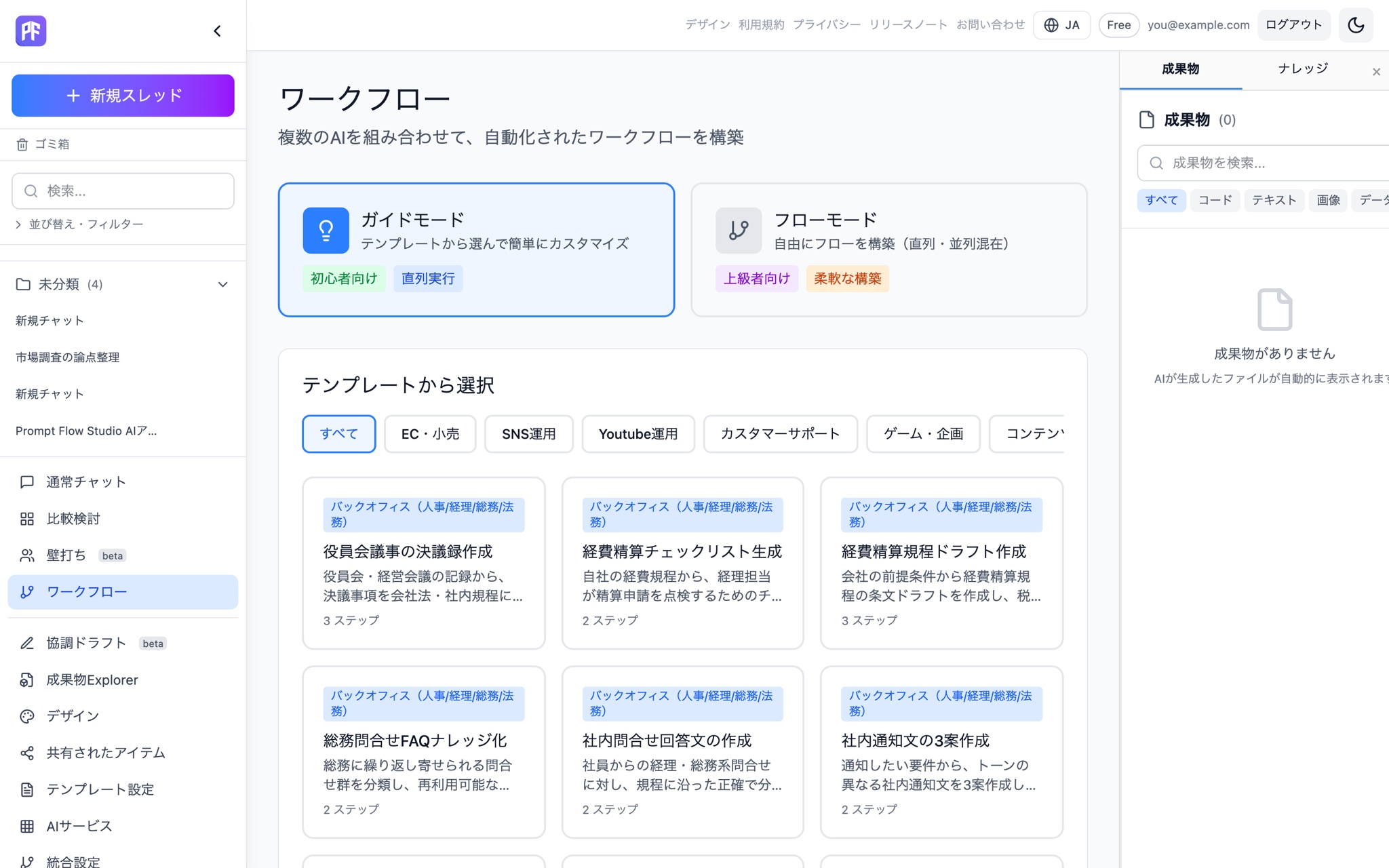
Carry a repeatable process with you
Up to 8 sequential steps
Automate multi-step procedures in one run. Steps can declare dependencies with dependsOn, and a drag-and-drop visual DAG canvas lets you build it visually.
Template library
Global templates provided by the team stay separate from your own personal templates.
Copy-on-write
Edit a global template and it forks into your own copy on the spot, leaving the original untouched.
Guide mode / flow mode
Step through each stage one at a time in guide mode, or let the whole workflow run in flow mode.
Post-completion actions
After a run finishes, hand it off to Debate or Chat, append more steps, or save it as an artifact.
Cross Review
Have the models review each other's outputs step by step once the workflow completes.
Examples of ready-made templates
Board meeting minutes
Turn meeting notes into an organized record of resolutions in minutes format.
Expense reimbursement checklist
Generate a checklist of what to verify for a given expense claim.
Expense policy draft
Draft an internal expense policy that covers the clauses it needs.
General affairs FAQ knowledge base
Convert incoming general-affairs inquiries into a searchable FAQ knowledge base.
Internal inquiry response drafts
Turn an inquiry into a ready-to-send draft reply.
Three drafts of an internal notice
Turn one piece of news into three notice drafts with different tones.
Workflow mode (Beta) is available on Personal Pro and above — create an account to get started.
Start free