
Stop hunting for what the AI made.
Anything an AI generates in Chat, Compare, Debate, or Workflow (Beta) is automatically detected and saved. It never gets lost in the conversation — find it in Explorer.
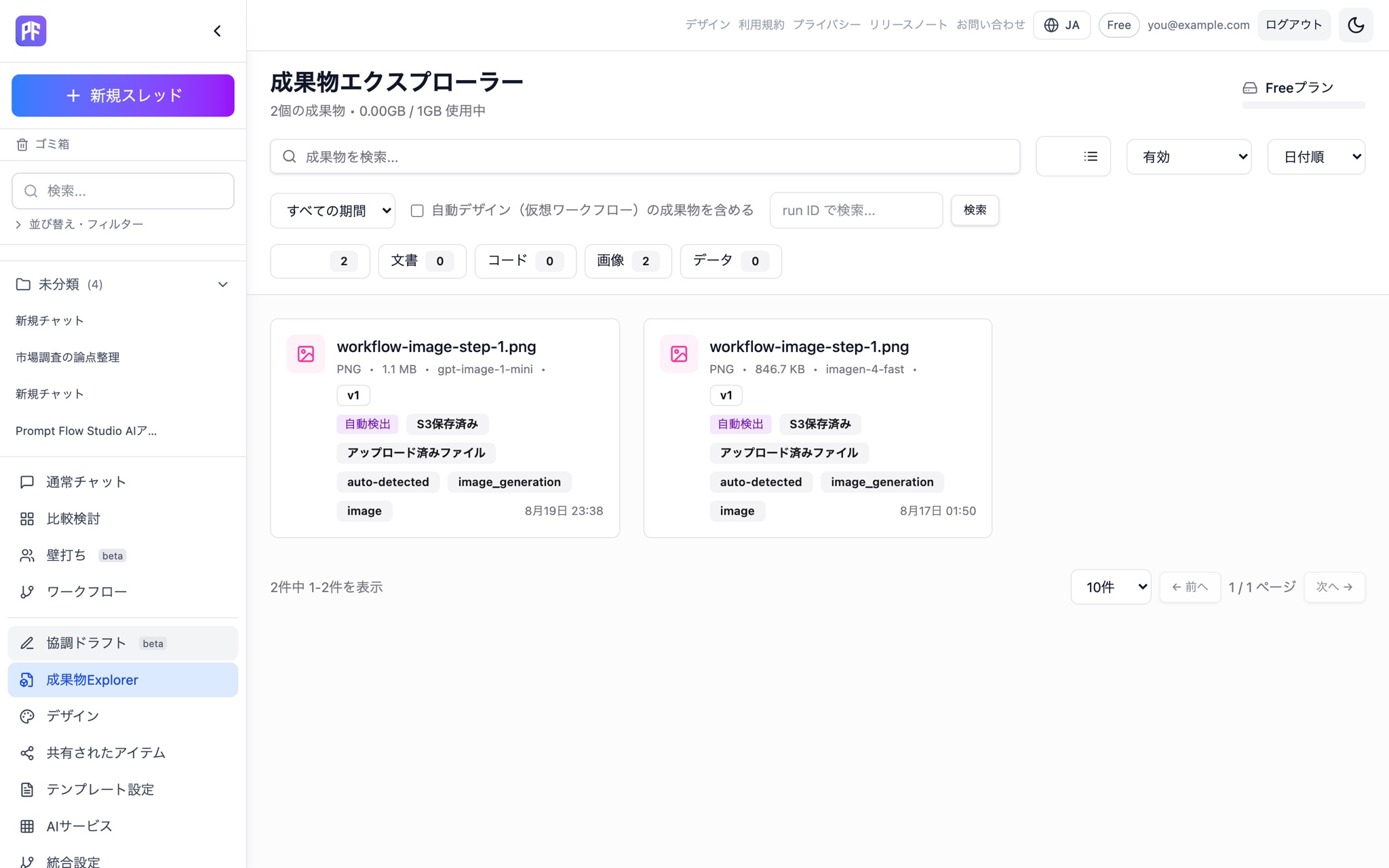
What you get
Automatic detection and saving
AI-generated artifacts are detected and saved automatically. Saved artifacts carry a stored-in-S3 badge.
Stored in S3
Artifact files themselves are stored in S3.
Auto-numbered series and versions
Updating an artifact automatically assigns a new version number and keeps the history.
Cross-thread Explorer
Search across all your artifacts instead of scrolling through chat history, with filtering and sorting by type and status.
Trash and restore
Deleting an artifact is a soft delete — it sits in trash and can be restored.
PowerPoint (.pptx) export
Download generated content as a PowerPoint, Word, or Excel file.
How it works
Ask the AI to build it
Have the AI draft a document or slide deck in Chat, Compare, Debate, or Workflow (Beta).
It's saved automatically
The generated artifact is detected and saved without any extra step.
Find it in Explorer
Filter by type or status instead of scrolling back through the conversation.
Take it with you
Download it as PowerPoint, or restore an earlier version from trash.
Why it matters
Nothing gets lost in the thread
You don't need to scroll back through a long conversation to find what the AI made.
Versions stay organized
Every update is recorded as a new version, so there's no confusion about what's current.
Deletes are reversible
Delete something by mistake, and you can still restore it from trash.
Anything the AI makes for you is saved automatically — and easy to find later.
Start free